The following table describes the labels in this screen.
LABEL DESCRIPTION
Port
Select the port number to show or clear dynamic MAC entries. If not select
any port, VLAN and MAC address, the whole dynamic MAC table will be
This is the VLAN group to which the MAC address belongs. Select the
VLAN to show or clear dynamic MAC entries. If not select any port, VLAN
and MAC address, the whole dynamic MAC table will be displayed or
This field displays the MAC address that will be forwarded. Select the MAC
address to show or clear dynamic MAC entries. If not select any port,
VLAN and MAC address, the whole dynamic MAC table will be displayed
Click the View button to display the logs according the criteria specified in
the fields above.
Click this button to remove any dynamically learned MAC address
forwarding entries.
This shows whether the MAC address is Dynamic (learned by the Switch)
or Static Unicast (manually entered in the Static MAC Forwarding
Port
This field displays the port where the MAC address will be forwarded.
Add to Static
MAC table
Click this button to add any port into the static MAC table.
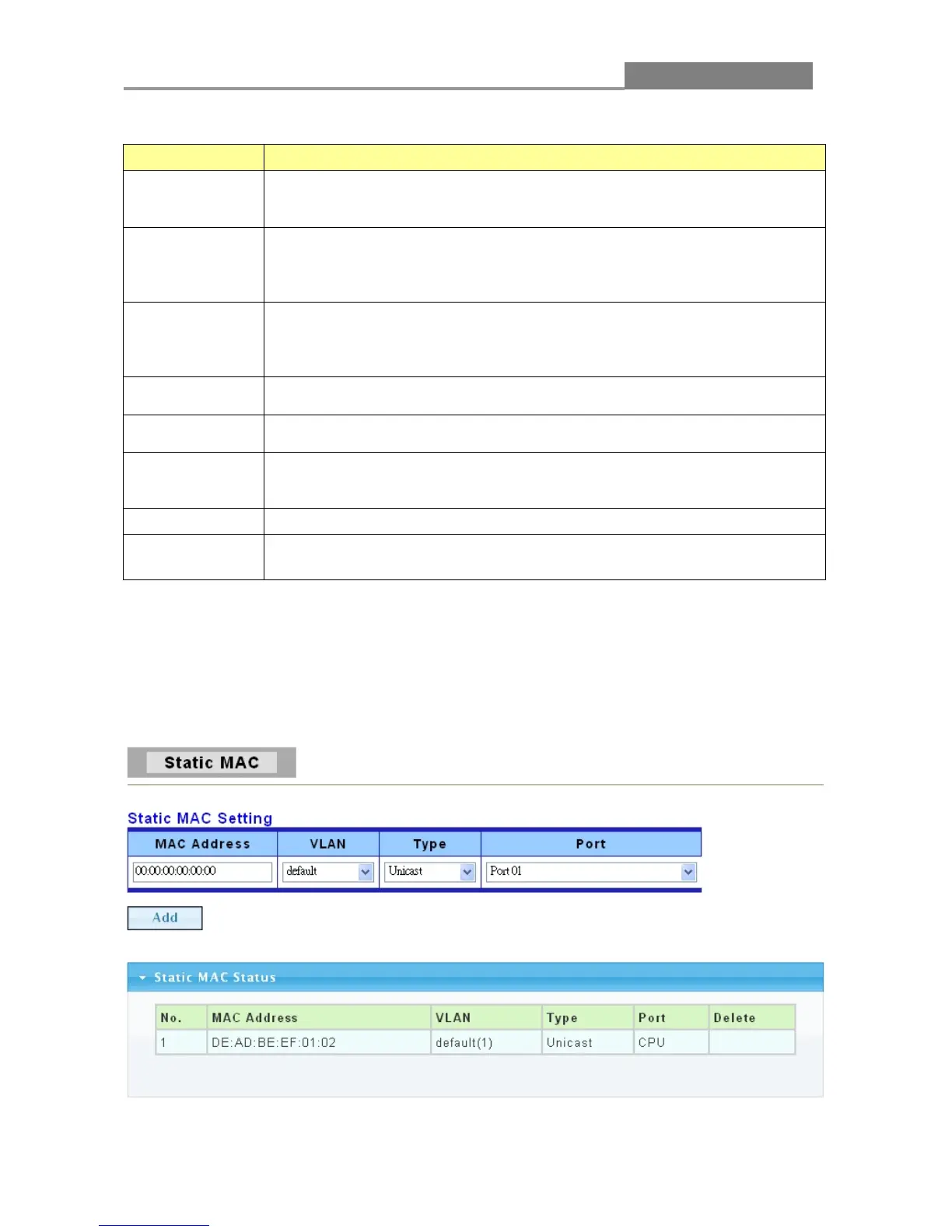
3.1.5.2 Static MAC
Click Status > MAC Address Table > Static MAC in the navigation panel to bring up the screen
as shown next.
The following table describes the labels in this screen.














 To Next Page