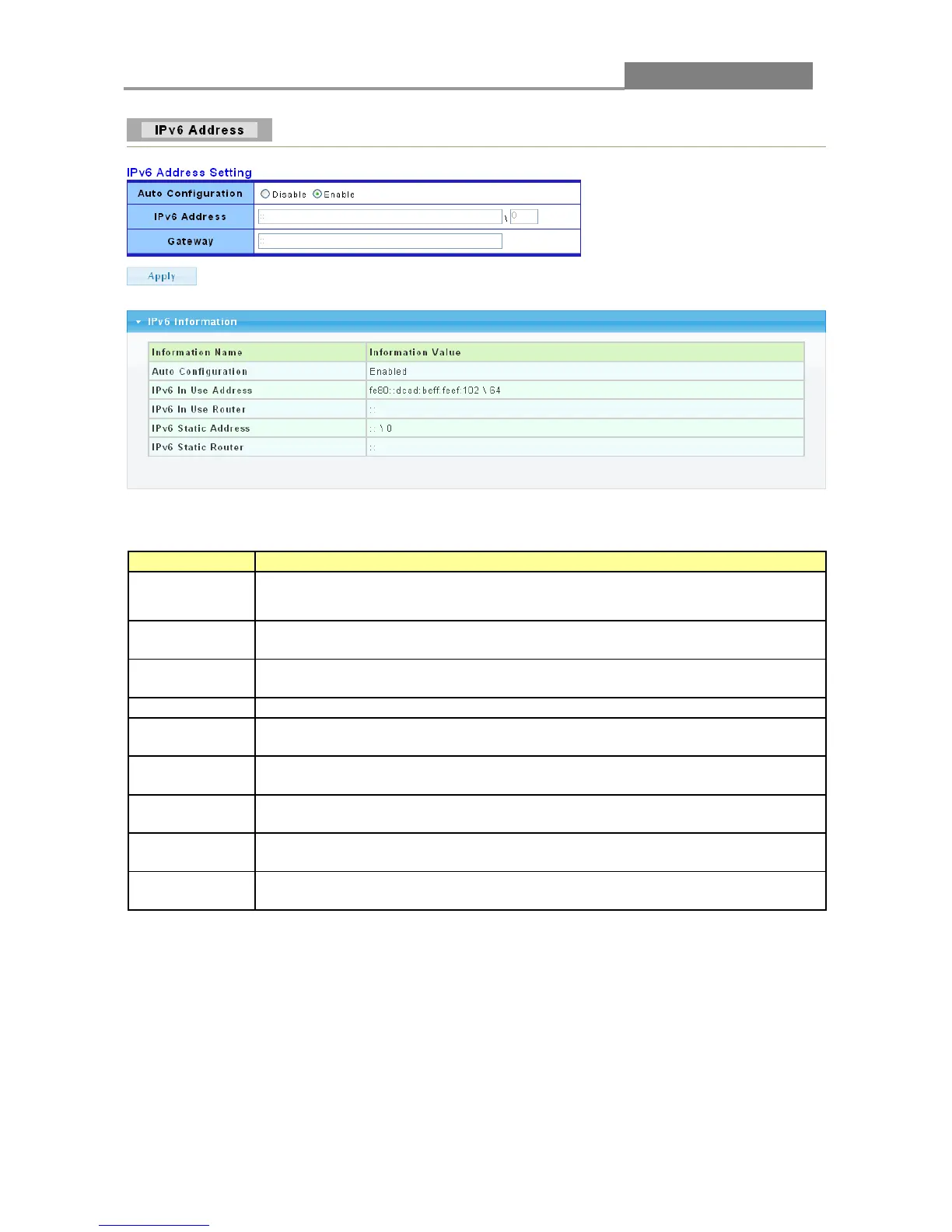
The following table describes the labels in this screen.
Select Enable or Disable this function.
Enter the IPv6 address of your switch. If auto configuration mode is
disabled, enter IPv6 address in this field.
Enter the IP address of the gateway in dotted decimal notation. If auto
configuration mode is disabled, enter IPv6 gateway address in this field.
Click Apply to save your changes to the switch.
It displays whether the auto configuration function is opened or not.
It displays the in use address information of IPv6.
It displays the in use router information of IPv6.
It displays the static address of IPv6.
It displays the static router of IPv6.
3.2.3 Time
Click Network> Time in the navigation panel to display the screen as shown below.














 To Next Page