Click Apply to save your changes to the Switch.
This field displays the port number.
This field displays how many broadcast packets can the port receive per
second.
This field displays how many multicast packets can the port receive per
second.
This field displays how many unknown unicast packets can the port receive
per second.
This field displays how many unknown multicast packets can the port
receive per second.
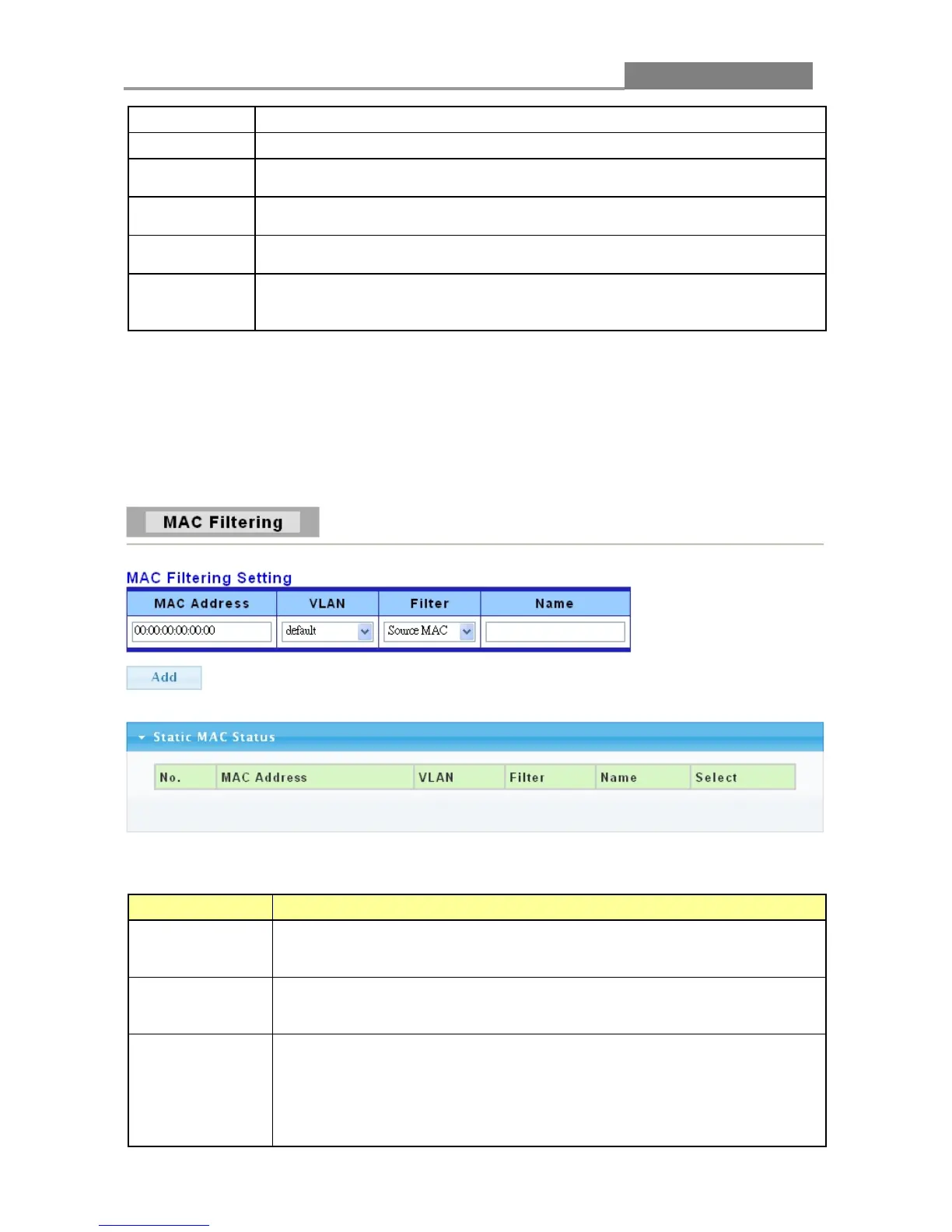
3.4.2 MAC Filtering
Use this screen to create rules for traffic going through the switch.
Click Security> MAC Filtering in the navigation panel to display the screen as shown.
The following table describes the labels in this screen.
LABEL DESCRIPTION
MAC Address
Type a MAC address to which packets will be filtered in valid MAC
address format, that is, six hexadecimal character pairs. And this must be
The VLAN ID number of the VLAN on which the above MAC address
This function is set default in this switch.
Select Source MAC to drop the frames with the source MAC address
(specified in the MAC Address field).
Select Destination MAC to drop the frames with the destination MAC
address (specified in the MAC Address field).
Select Both to drop frames with the source MAC address and destination
MAC address which specified in the MAC Address field.














 To Next Page