Enter Layer 4 source port in this field.
Enter Layer 4 destination port in this field.
Enter TCP flag in this field.
Select the action to take:
Permit: permit packet to pass through.
Deny: drop packet.
Note: system will automatically add one “deny any any” rule in the last
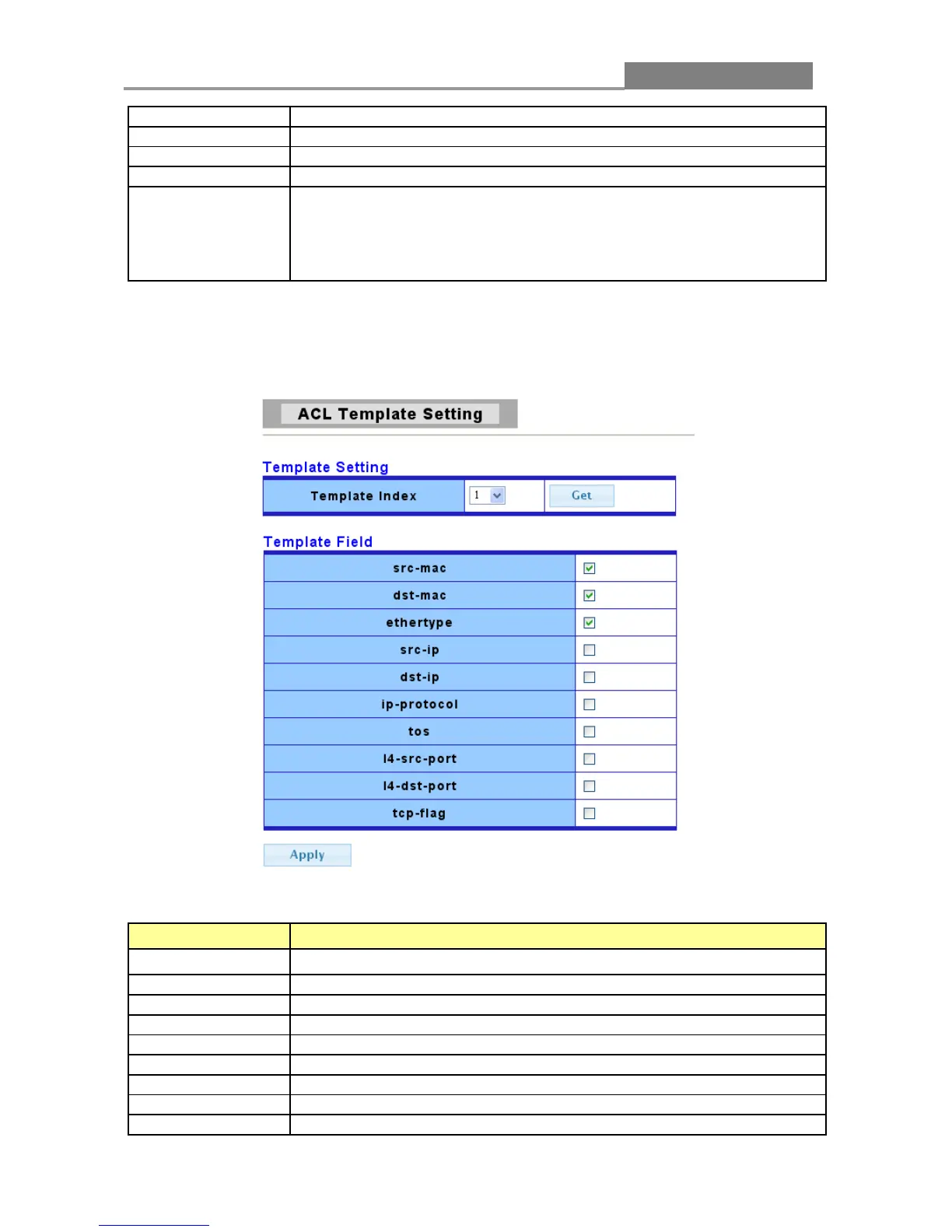
3.5.2 ACL Template Setting
The following table describes the labels in this screen.
LABEL DESCRIPTION
Template Index
You can choose the template index.
To get the basic information of the policy index.
Click in the square box to set source MAC into Template.
Click in the square box to set destination MAC into Template.
Click in the square box to set ethernet type into Template.
Click in the square box to set source IP into Template.
Click in the square box to set destination IP into Template.
Click in the square box to set IP protocol into Template.
Click in the square box to set ToS into Template.














 To Next Page