Enter ACL name in this field
Enter ACL comment in this field.
Select the interface to bind:
Port number: Enter port number.
VLAN ID: Enter VLAN ID.
Policy: Enter policy index.
Enter ACE index in this field to configure ACE.
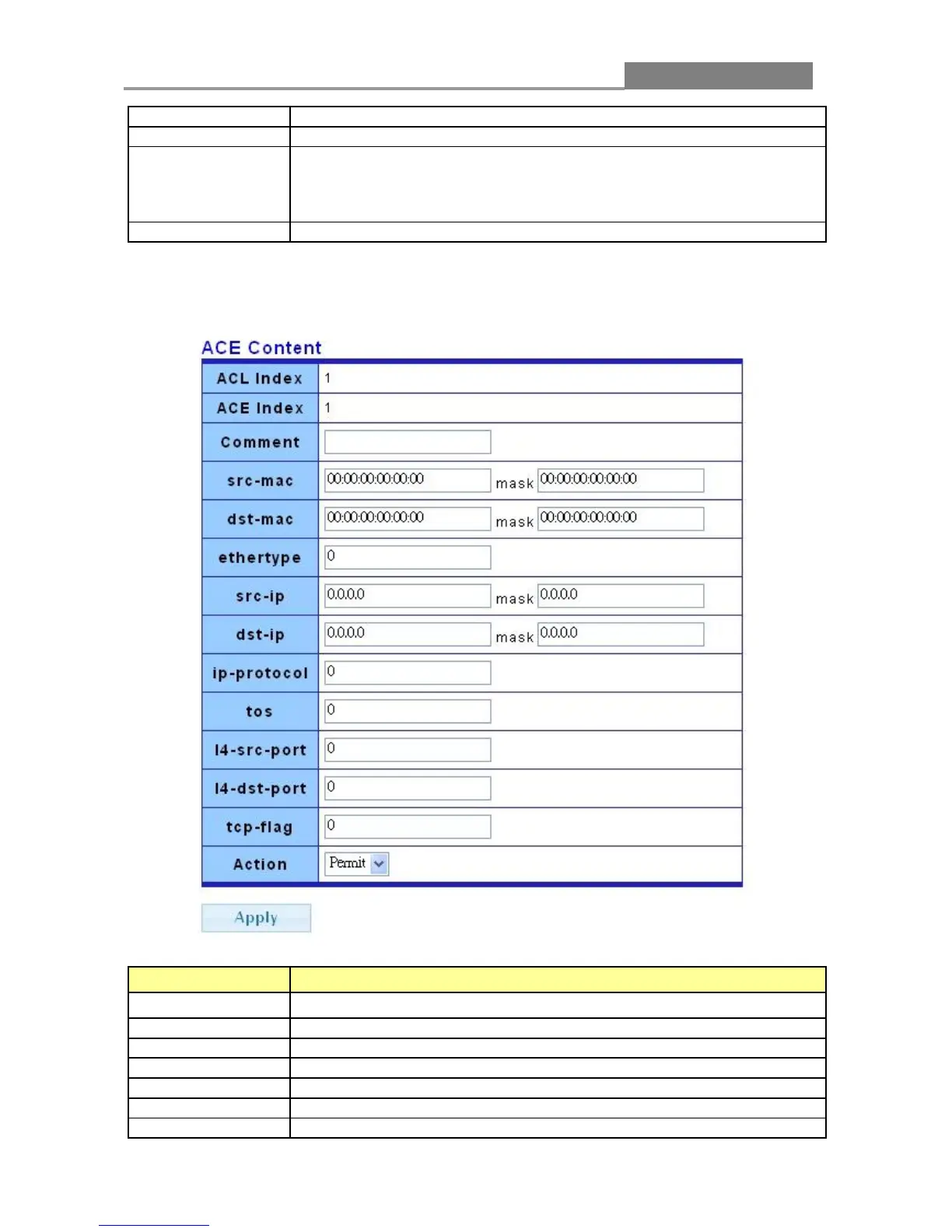
Click ACL->ACL Setting->Add->Add (in ACE Setting) button, the ACE Content web page pops
out.
LABEL DESCRIPTION
Comment
Enter ACE comment in this field.
Enter source MAC data and mask in this field.
Enter destination MAC data and mask in this field.
Enter ethernet type in this field.
Enter source IP data and mask in this field.
Enter destination IP data and mask in this field.
Enter IP protocol in this field.














 To Next Page