7
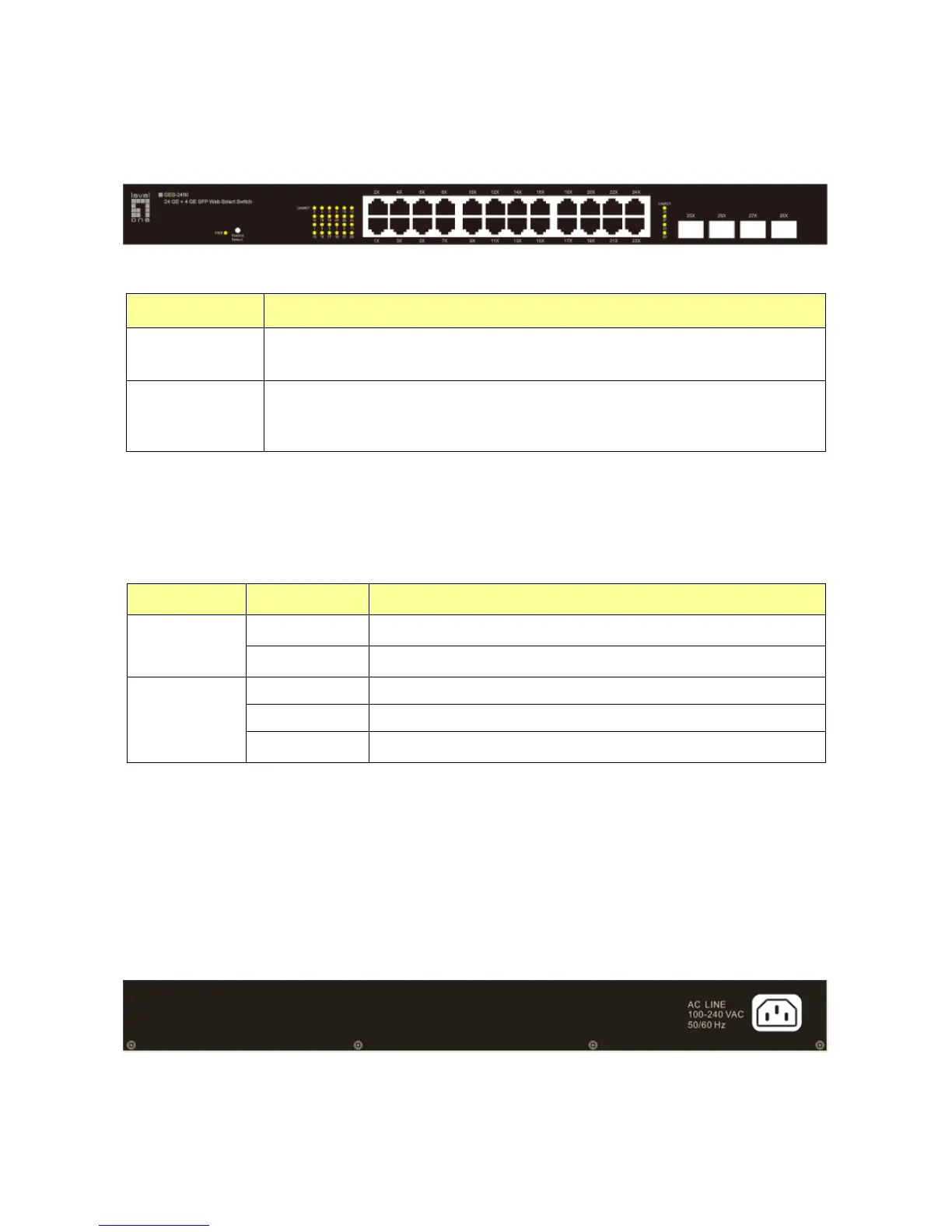
1.2 The Front Panel
The following figure shows the front panel of the switch.
The following table describes the port labels on the front panel.
LABEL DESCRIPTON
24 10/100 RJ-45
Ethernet Ports
Connect these ports to a computer, a hub, an Ethernet switch or router
Four
Mini-GBIC
Slots:
Use mini-GBIC transceivers in these slots for connections to backbone
Ethernet switches.
1.3 LEDs Definition
This device provides extensive leds to show the activities on power, system and ports.
See the following description for your reference:
LED Status Operation
Power
Steady Green The switch is powered on.
Off The switch is powered off.
Link/ACT
Steady Green Valid port connection.
Blinking Green Valid port connection and there is data transmitting/ receiving.
Off Port disconnected.
The RESET Button
Reset the switch to its factory default configuration via the RESET button. Press the RESET button
for one second and release. The switch automatically reboots and reloads its factory configuration
file. The RESET button is on the front panel of the switch.
1.4 The Rear Panel
The following figure shows the rear panel of the switch:
Power Receptacle
To be compatible with the electric service standards around the world, the switch is designed to
afford the power supply in the range from 100 to 240 VAC, 50/60 Hz. Please make sure that your














 To Next Page