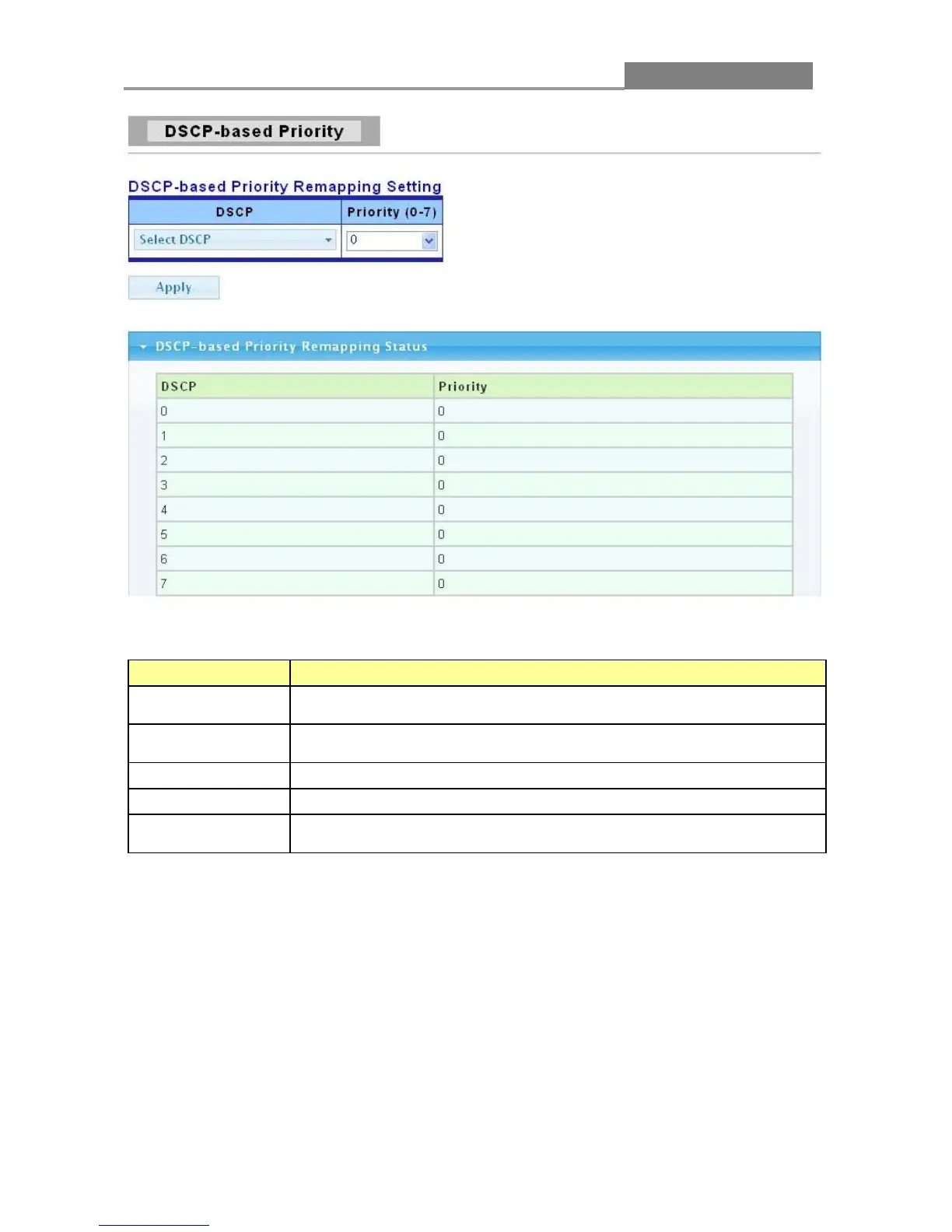
The following table describes the labels in this screen.
LABEL DESCRIPTION
DSCP
Select the DSCP value to mapping to the priority and drop precedence.
The DSCP range is 0 to 63.
Select the priority value that the DSCP mapped to. The priority range is
0 to 7.
Click Apply to save your changes to the switch.
This field displays the DSCP classification identification numbers.
Priority
This field displays the DSCP classification identification number’s IEEE
3.6.4 Priority to Queue Mapping
Click QoS > Priority to Queue Mapping to display the screen as shown next.
IEEE 802.1p defines up to eight separate traffic types by inserting a tag into a MAC-layer frame
that contains bits to define class of service. Frames without an explicit priority tag are given the
default priority of the ingress port. Use the next screen to configure the priority level-to-physical
queue mapping.
The Switch has eight physical queues that you can map to the 8 priority levels. On the Switch,














 To Next Page