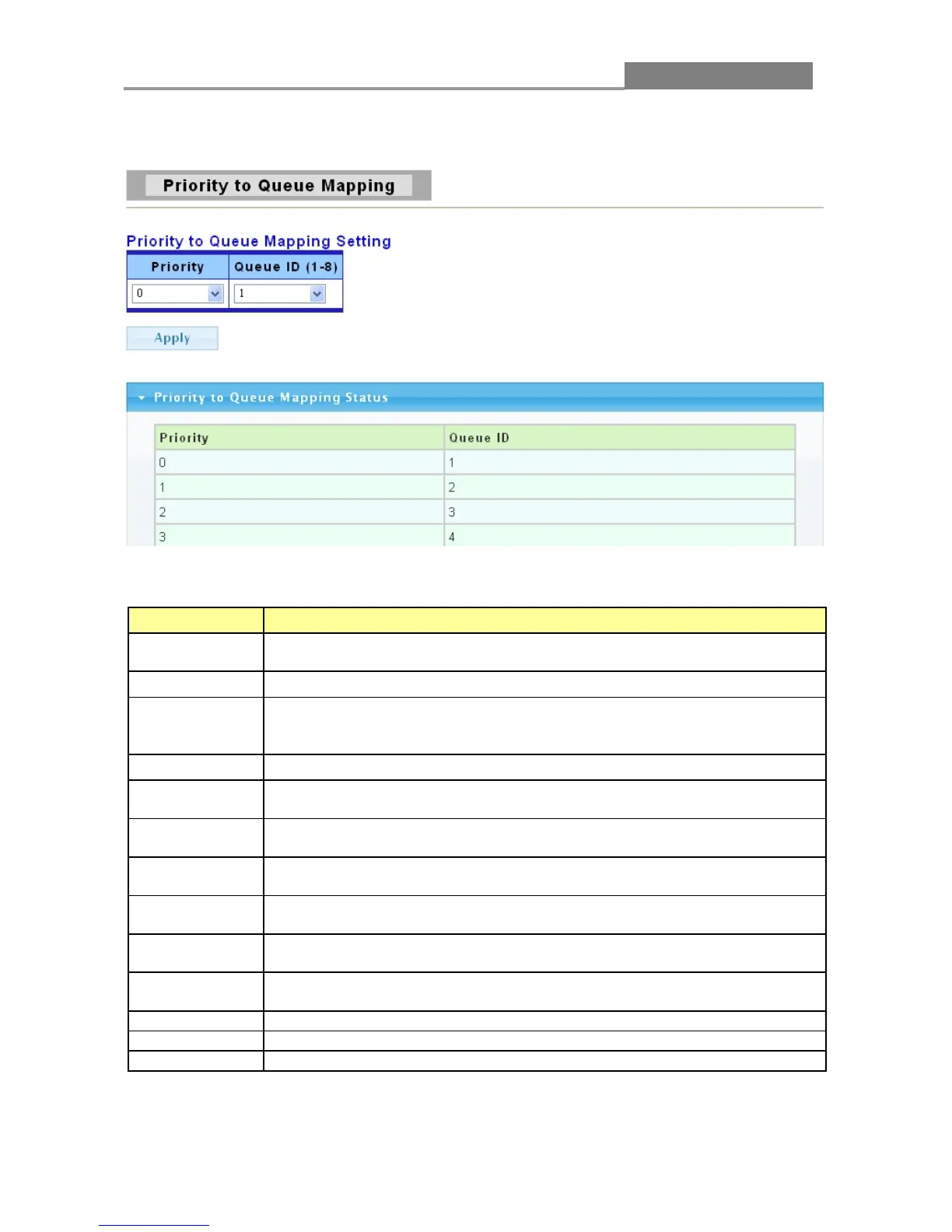
traffic assigned to higher index queues gets through faster while traffic in lower index queues is
dropped if the network is congested.
The following table describes the labels in this screen.
LABEL DESCRIPTION
Priority
Select the priority value to mapping to the Queue ID. The priority range is 0
to 7.
Typically used for best-effort traffic.
This is typically used for non-critical “background” traffic such as bulk
transfers that are allowed but that should not affect other applications and
This is for “spare bandwidth”.
Typically used for “excellent effort” or better than best effort and would
include important business traffic that can tolerate some delay.
Typically used for controlled load, latency-sensitive traffic such as SNA
(Systems Network Architecture) transactions.
Typically used for video that consumes high bandwidth and is sensitive to
jitter.
Typically used for voice traffic that is especially sensitive to jitter (jitter is
the variations in delay).
Typically used for network control traffic such as router configuration
Select the Queue ID for which the Priority should be applied. The Queue ID
range is 1 to 8.
Click Apply to save your changes to the Switch.
This field displays the priority for each Queue ID.
This field displays the Queue ID.














 To Next Page