3.3.4 VLAN
Each VLAN in a network has a associated VLAN ID, which displays in the IEEE 802.1Q tag in the
L2 header of packets transmitted on a VLAN.
3.3.4.1 VLAN Setting
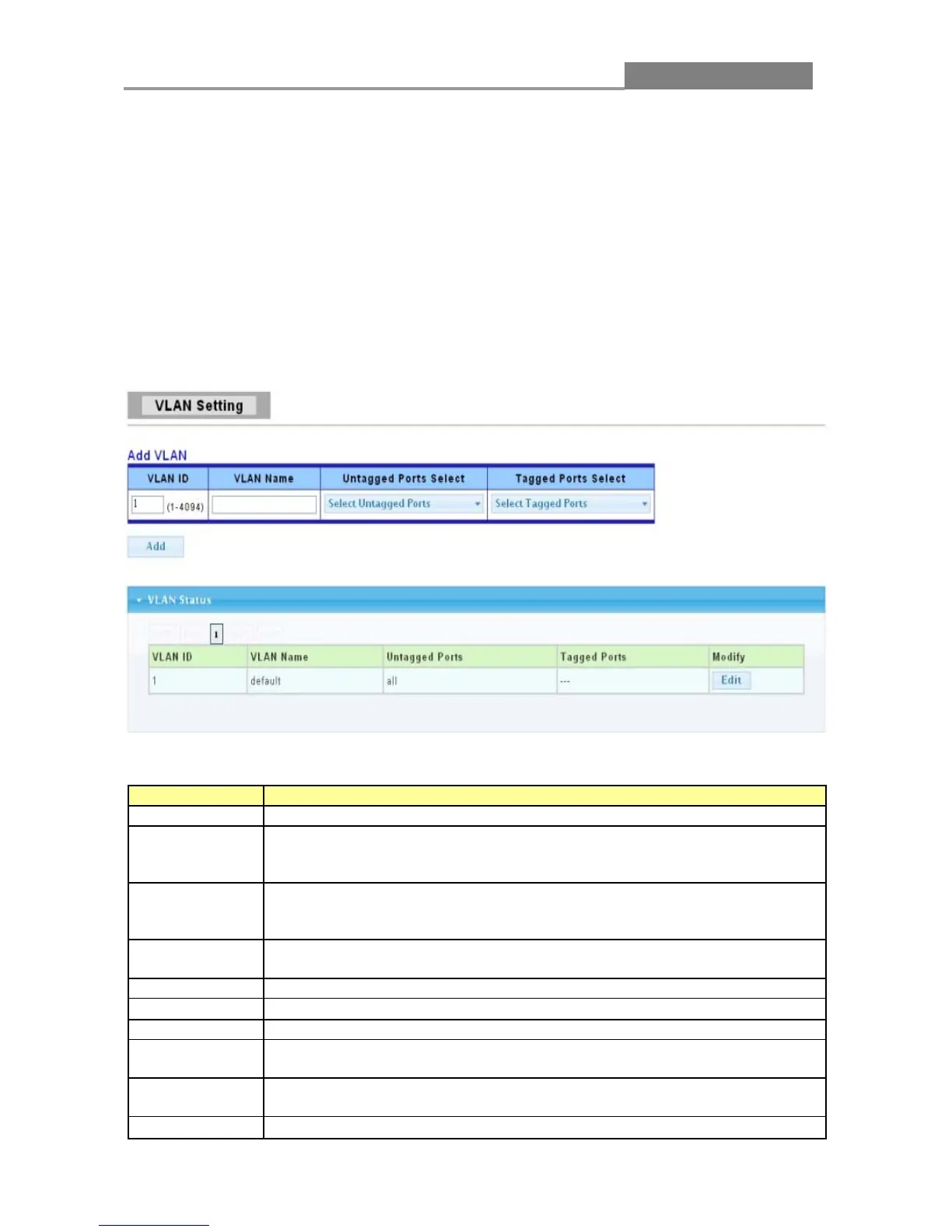
This page allow user to add, edit or delete VLAN settings.
Click Switching > VLAN > VLAN Setting to access this screen below to configure and view VLAN
parameters for the switch.
The following table describes the related labels in this screen.
A unique number (between 1 and 4094) that identifies a particular VLAN.
A 32-character alphanumeric name associated with a VLAN ID. The VLAN
Name is intended to make user-defined VLANs easier to identify and
Select Untagged to make the port a permanent member of this VLAN
group. All outgoing frames will be transmitted without a VLAN Group ID
Select Tagged to make the port a permanent member of this VLAN group.
All outgoing frames will be transmitted with the VLAN Group ID tag.
Click Add to save your changes to the Switch.
This field displays the unique identification number of the VLAN group.
This field displays the descriptive name for this VLAN group.
This field displays all the ports that will transmit outgoing frames without a
This field displays all the ports that will transmit outgoing frames with a
VLAN group ID tag.
Click Edit to modify the tagged and untagged ports.














 To Next Page