EasyManua.ls Logo

LevelOne GES-2450 - Queue Remarking Table

LevelOne GES-2450
94 pages
Print Icon
To Next Page IconTo Next Page
To Previous Page IconTo Previous Page
Loading...
Web Smart Switch
78
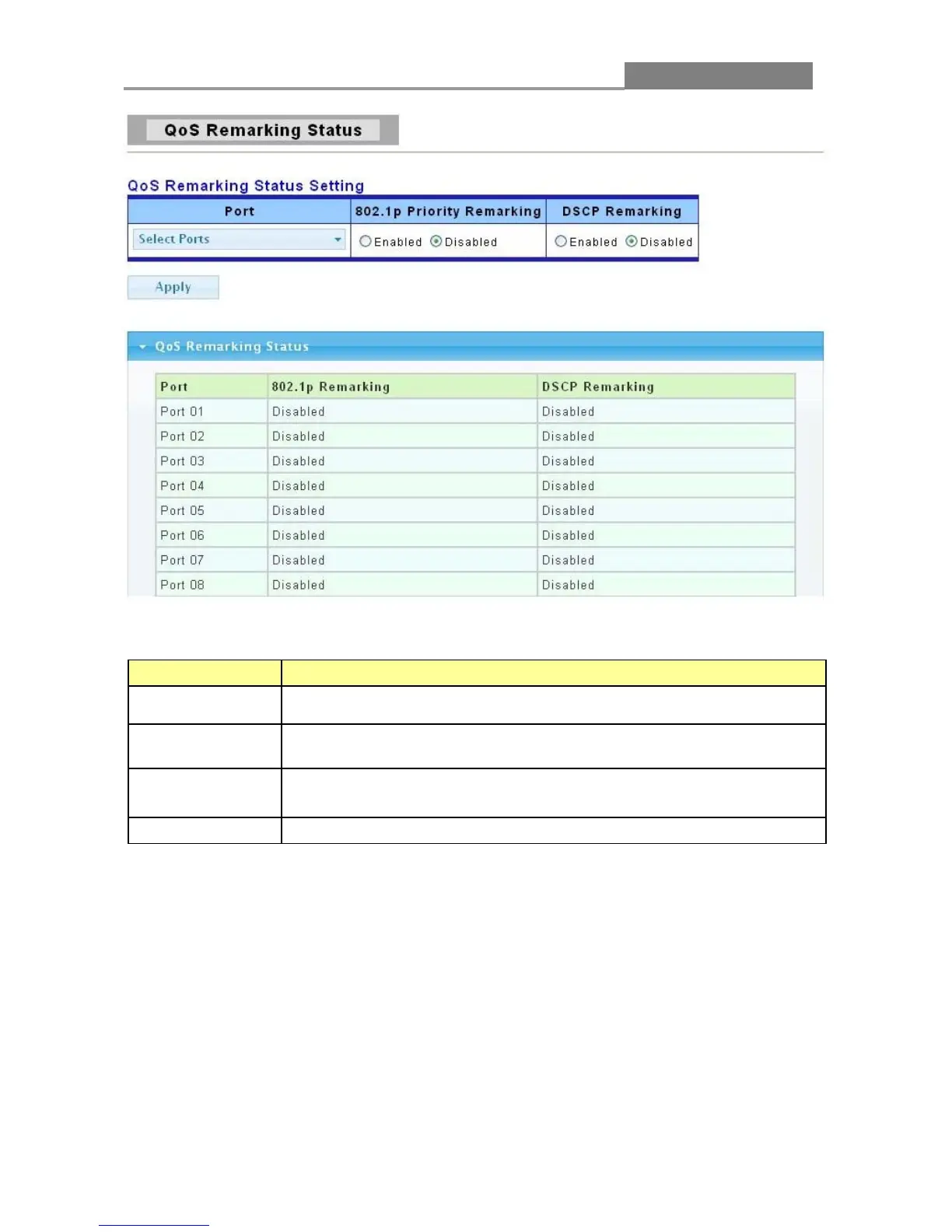
The following table describes the labels in this screen.
LABEL DESCRIPTION
Port
Select the number of the port for which you want to assign IEEE 802.1p
priority to incoming frames.
802.1 p Priority
Remarking
Click Enabled to enable this function in specified ports.
Click Disabled to disable this function in specified ports.
DSCP Remarking
Click Enabled to enable this function in specified ports.
Click Disabled to disable this function in specified ports.
Apply
Click Apply to save your changes to the switch.
3.6.8 Queue Remarking Table
Click QoS > Queue Remarking Table to display the screen as shown next.

Table of Contents

Related product manuals