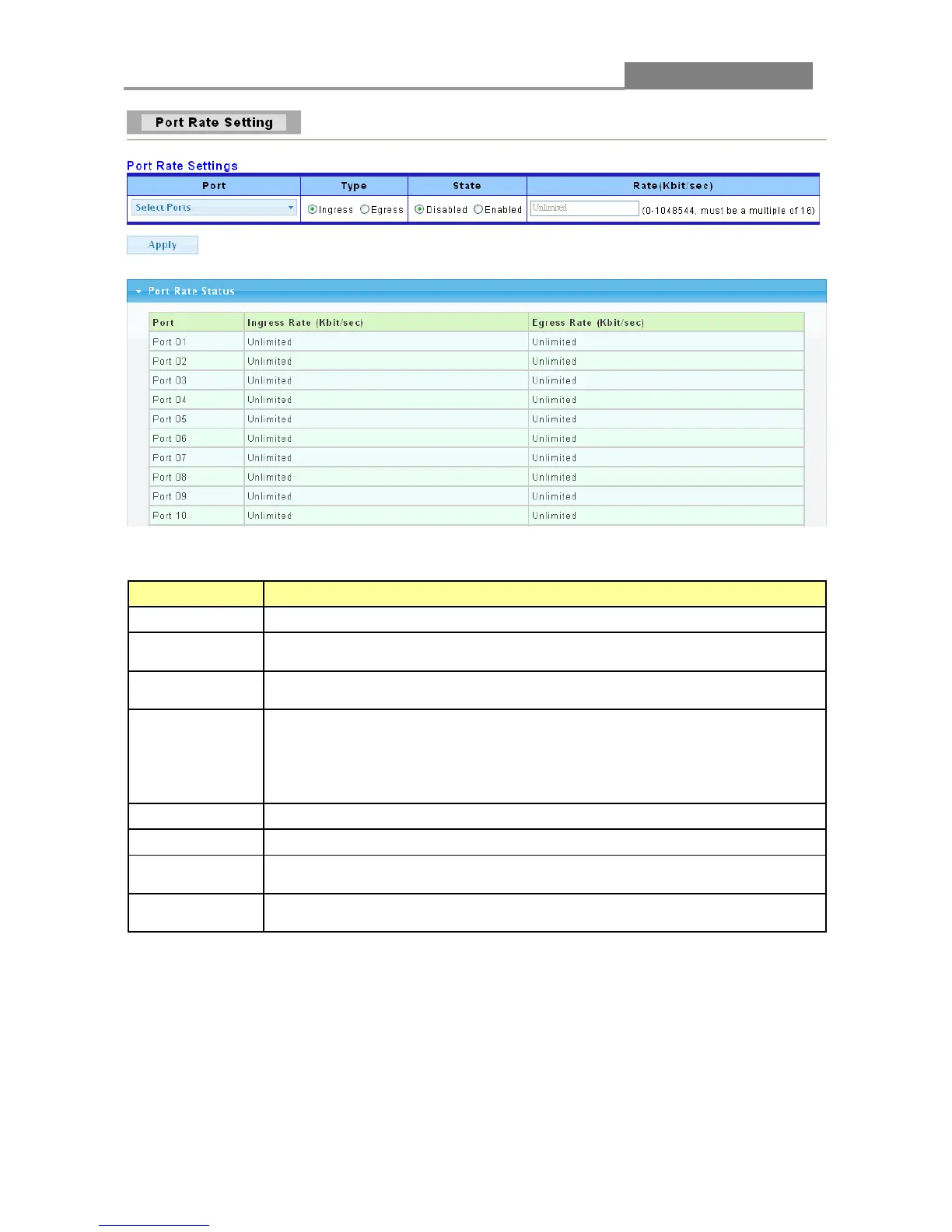
The following table describes the labels in this screen.
LABEL DESCRIPTION
Port
Select the ports to enable bandwidth control on.
Select the type of traffic to control, Ingress (incoming) or Egress
(outgoing).
Select Enable to activate bandwidth control on the selected ports.
Select Disable to turn off bandwidth control on the selected ports.
Configure the desired bandwidth available to the port’s traffic flow. Traffic
that exceeds the maximum bandwidth allocated (in cases where the
network is congested) is dropped. Specify the bandwidth in kilobit per
second (Kbps). Enter a number between 0 and 1048544. The number must
Click Apply to save your changes to the switch.
This field displays the port number.
This field displays the maximum bandwidth allowed for incoming traffic on
the port in kilobits per second (Kbps). The default setting is Unlimited.
This field displays the maximum bandwidth allowed for outgoing traffic on
the port in kilobits per second (Kbps). The default setting is Unlimited.














 To Next Page