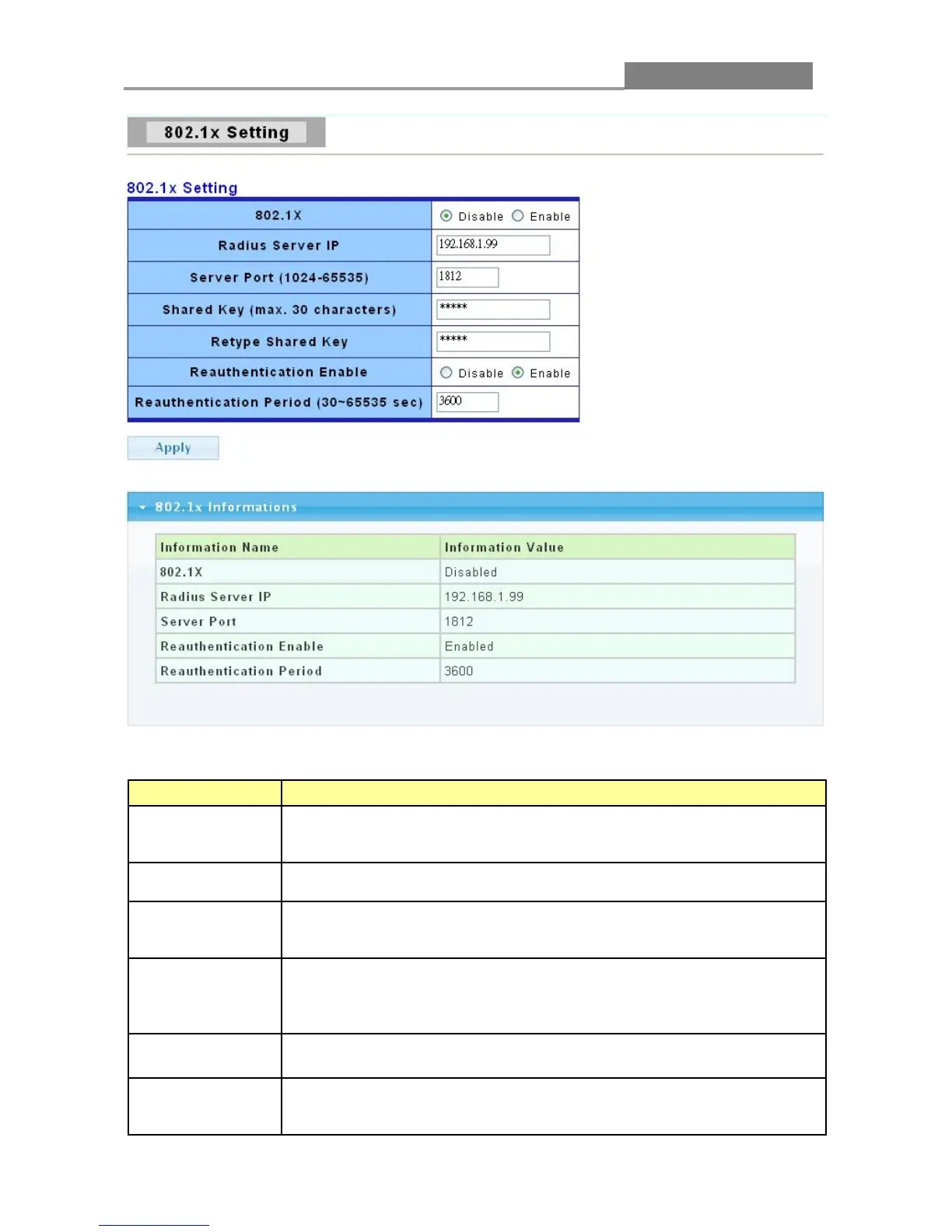
The following table describes the labels in this screen.
LABEL DESCRIPTION
802.1X
Select Enable from the drop-down list box to activate IEEE 802.1x port
Select Disable to disable this function.
Enter the IP address of an external RADIUS server in dotted decimal
notation.
The default port of a RADIUS server for authentication is 1812. You
need not change this value unless your network administrator instructs
Specify a password (up to 32 alphanumeric characters) as the key to be
shared between the external RADIUS server and the Switch. This key is
not sent over the network. This key must be the same on the external
RADIUS server and the Switch.
Retype the key specified above to ensure it has been entered correctly.
Specify if a subscriber has to periodically re-enter his or her username
and password to stay connected to the port.
Select Enable means the user has to re-enter his/her username and














 To Next Page