Chapter 13
| Basic Administration Protocols
Remote Monitoring
– 438 –
Web Interface
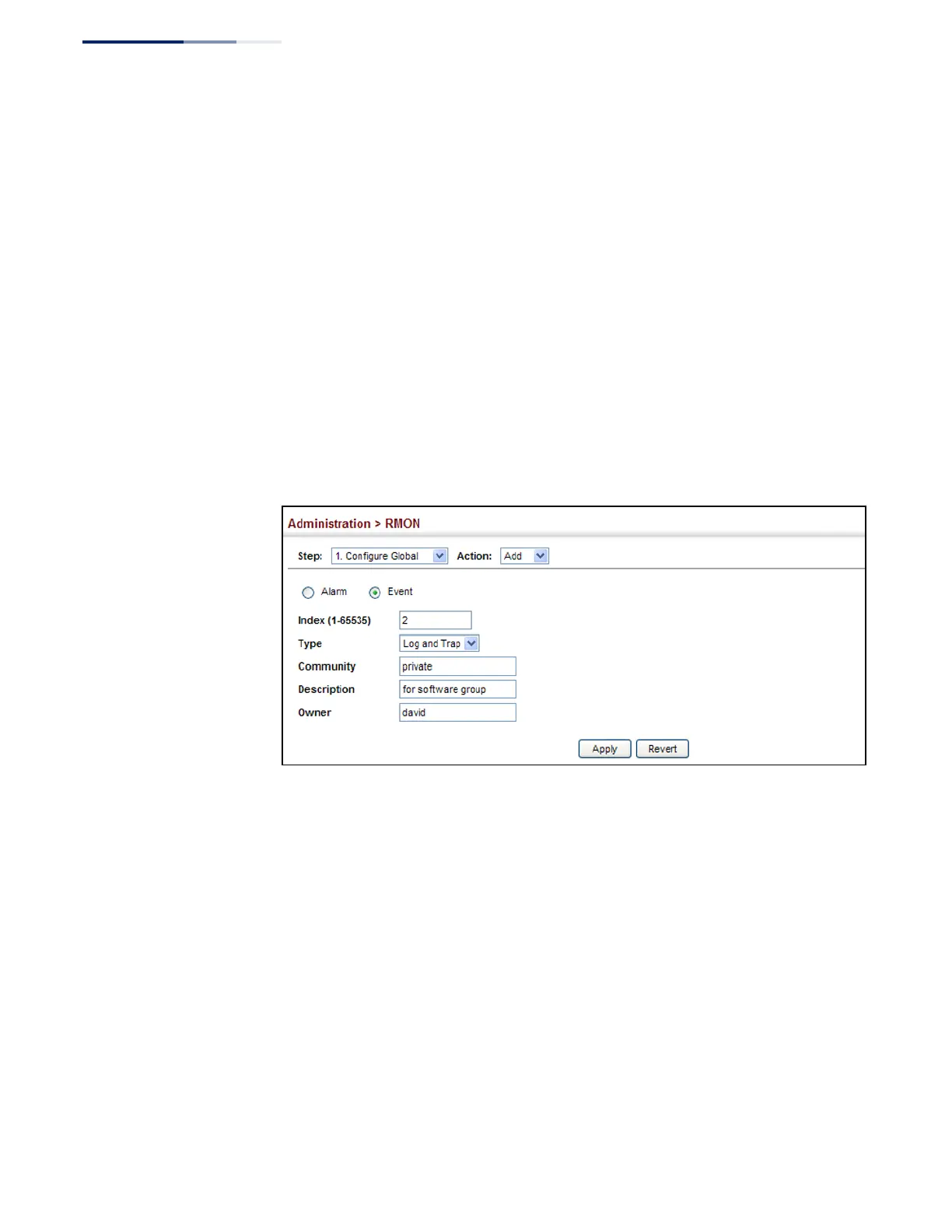
To configure an RMON event:
1.
Click Administration, RMON.
2.
Select Configure Global from the Step list.
3.
Select Add from the Action list.
4.
Click Event.
5.
Enter an index number, the type of event to initiate, the community string to
send with trap messages, the name of the person who created this event, and a
brief description of the event.
6.
Click Apply
Figure 281: Configuring an RMON Event
To show configured RMON events:
1.
Click Administration, RMON.
2.
Select Configure Global from the Step list.
3.
Select Show from the Action list.
4.
Click Event.










 To Next Page