Chapter 14
| Multicast Filtering
Multicast VLAN Registration for IPv4
– 573 –
Web Interface
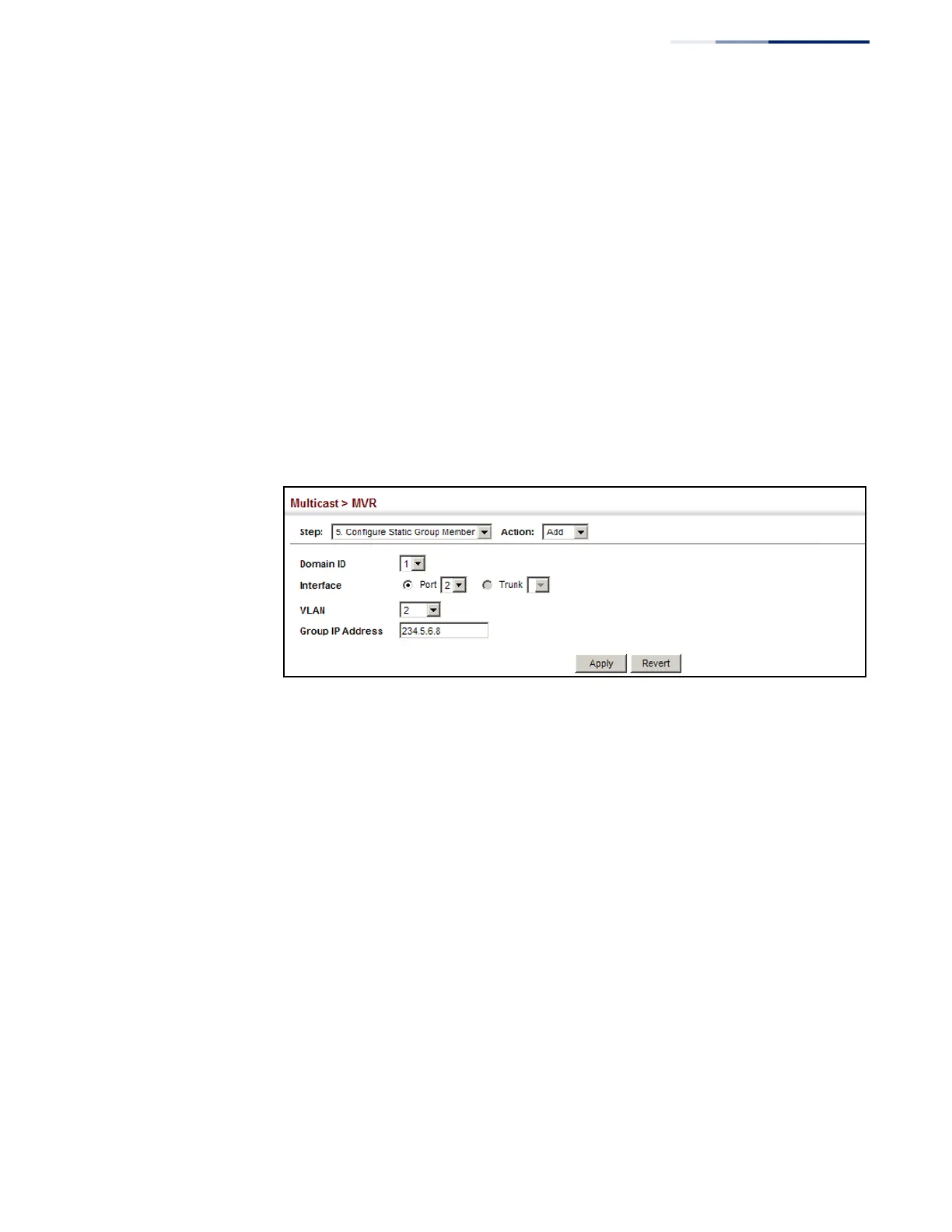
To assign a static MVR group to an interface:
1.
Click Multicast, MVR.
2.
Select Configure Static Group Member from the Step list.
3.
Select Add from the Action list.
4.
Select an MVR domain.
5.
Select a VLAN and interface to receive the multicast stream, and then enter the
multicast group address.
6.
Click Apply.
Figure 376: Assigning Static MVR Groups to an Interface
To show the static MVR groups assigned to an interface:
1.
Click Multicast, MVR.
2.
Select Configure Static Group Member from the Step list.
3.
Select Show from the Action list.
4.
Select an MVR domain.
5.
Select the port or trunk for which to display this information.










 To Next Page