Chapter 13
| Basic Administration Protocols
Connectivity Fault Management
– 489 –
4.
Select an entry from the MD Index list.
5.
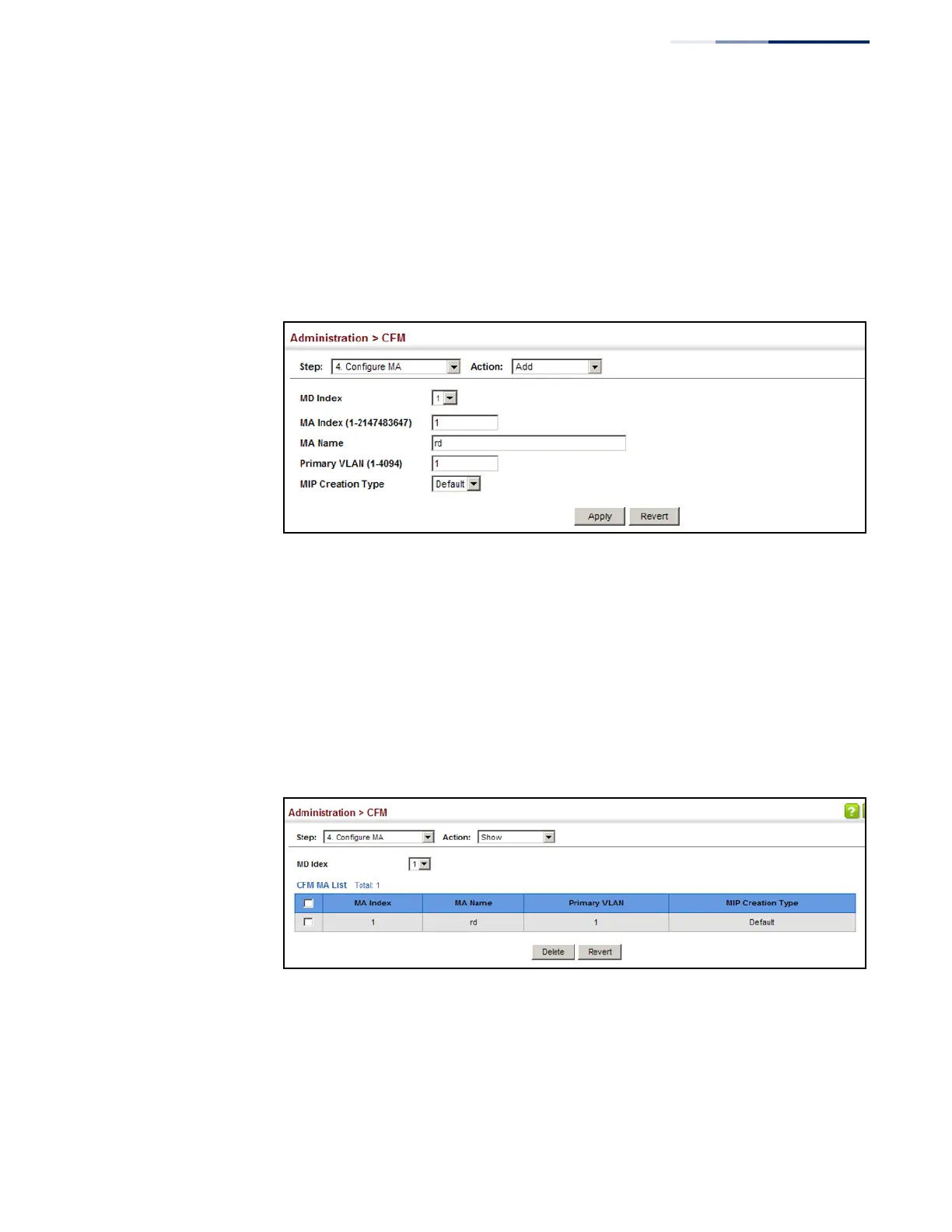
Specify the MAs assigned to each domain, the VLAN through which CFM
messages are passed, and the manner in which MIPs can be created within
each MA.
6.
Click Apply.
Figure 311: Creating Maintenance Associations
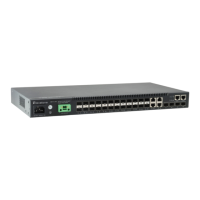
To show the configured maintenance associations:
1.
Click Administration, CFM.
2.
Select Configure MA from the Step list.
3.
Select Show from the Action list.
4.
Select an entry from the MD Index list.
Figure 312: Showing Maintenance Associations
To configure detailed settings for maintenance associations:
1.
Click Administration, CFM.
2.
Select Configure MA from the Step list.
3.
Select Configure Details from the Action list.










 To Next Page