Chapter 13
| Basic Administration Protocols
Remote Monitoring
– 441 –
4.
Select a port from the list.
5.
Click History.
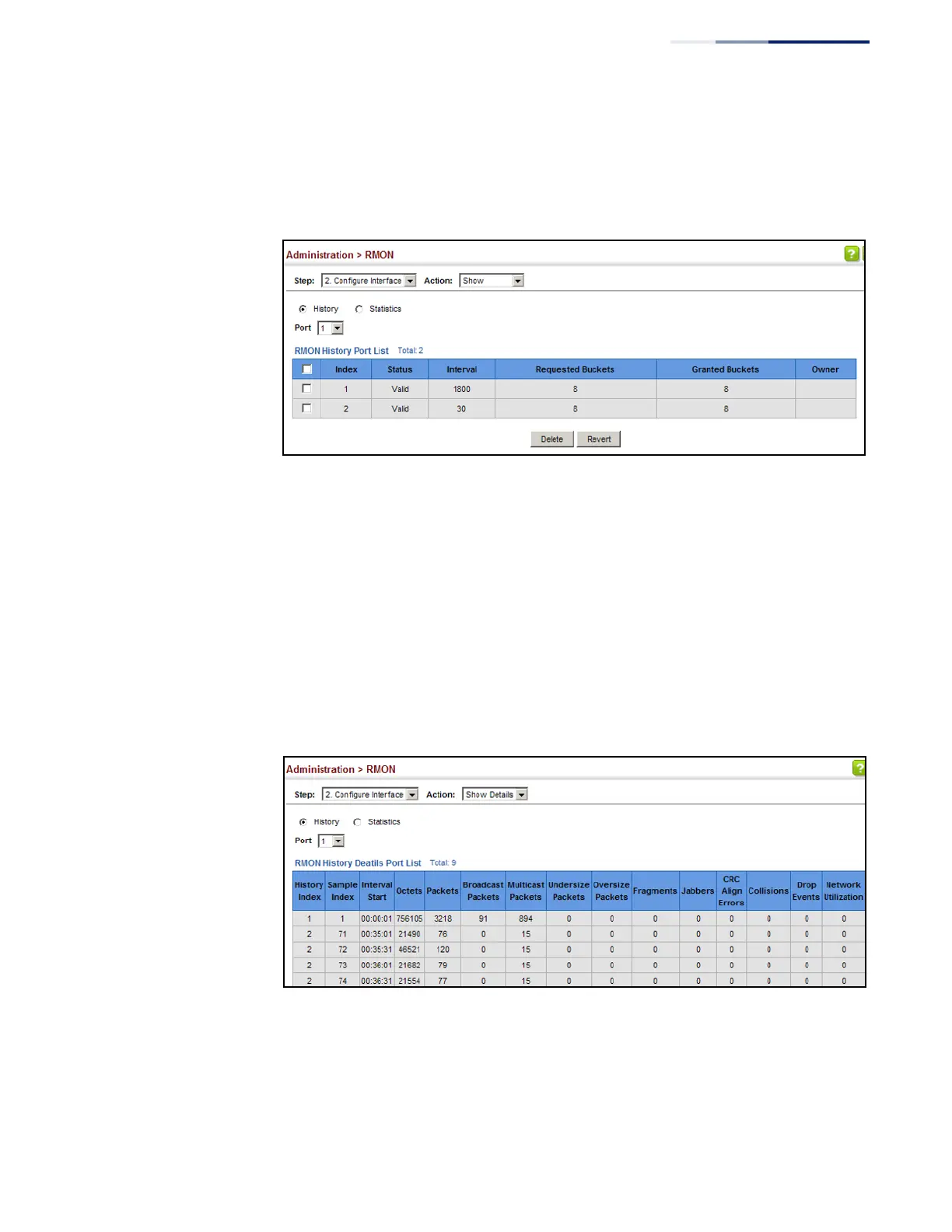
Figure 284: Showing Configured RMON History Samples
To show collected RMON history samples:
1.
Click Administration, RMON.
2.
Select Configure Interface from the Step list.
3.
Select Show Details from the Action list.
4.
Select a port from the list.
5.
Click History.
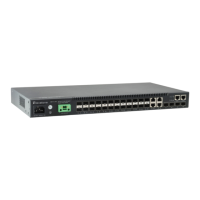
Figure 285: Showing Collected RMON History Samples










 To Next Page