Chapter 14
| Multicast Filtering
Layer 2 IGMP (Snooping and Query for IPv4)
– 534 –
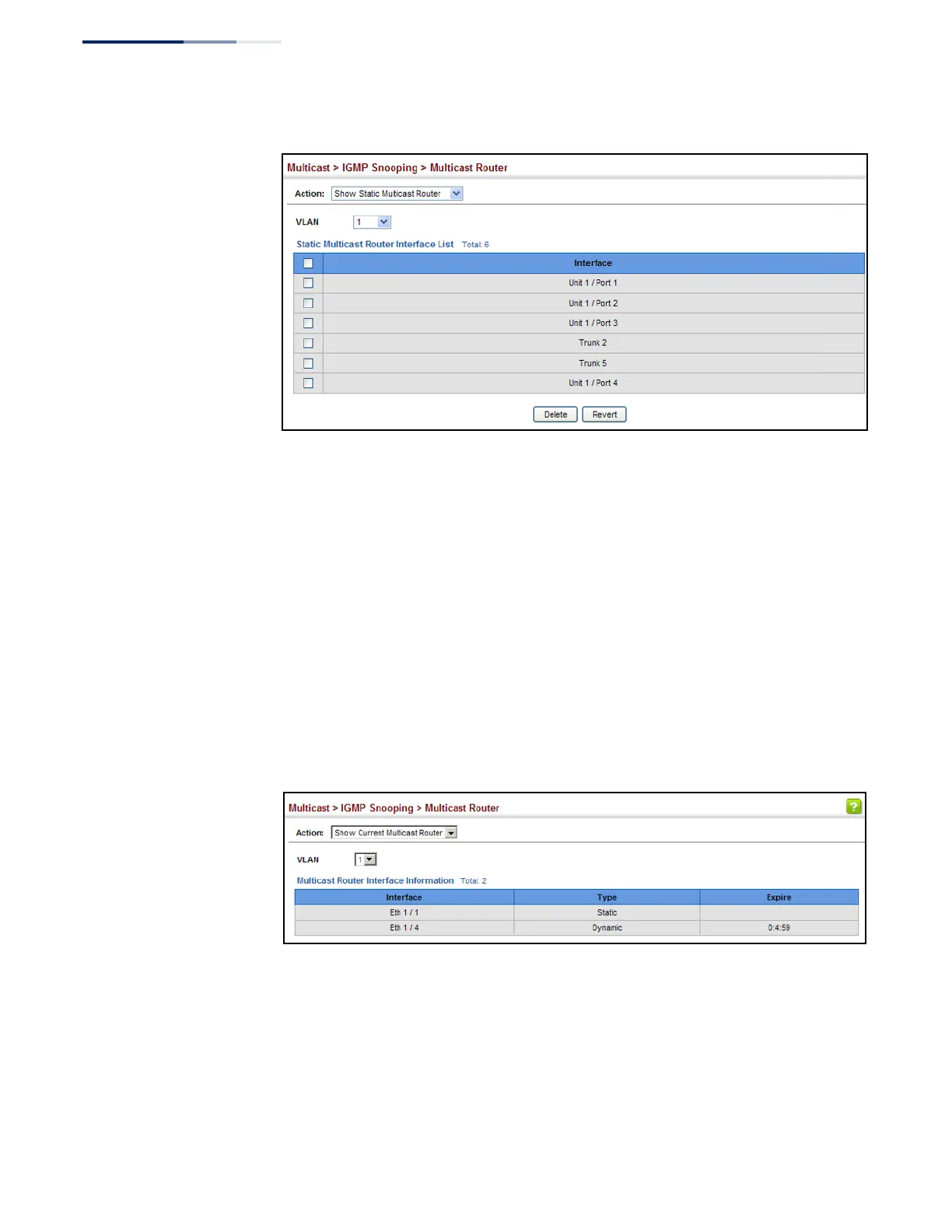
Figure 341: Showing Static Interfaces Attached a Multicast Router
Multicast routers that are attached to ports on the switch use information obtained
from IGMP, along with a multicast routing protocol (such as PIM) to support IP
multicasting across the Internet. These routers may be dynamically discovered by
the switch or statically assigned to an interface on the switch.
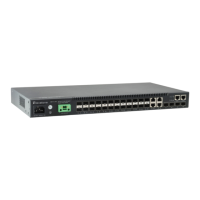
To show the all interfaces attached to a multicast router:
1.
Click Multicast, IGMP Snooping, Multicast Router.
2.
Select Current Multicast Router from the Action list.
3.
Select the VLAN for which to display this information. Ports in the selected
VLAN which are attached to a neighboring multicast router/switch are
displayed.
Figure 342: Showing Current Interfaces Attached a Multicast Router
Assigning Interfaces
to Multicast Services
Use the Multicast > IGMP Snooping > IGMP Member (Add Static Member) page to
statically assign a multicast service to an interface.
Multicast filtering can be dynamically configured using IGMP Snooping and IGMP
Query messages (see “Configuring IGMP Snooping and Query Parameters” on
page 528). However, for certain applications that require tighter control, it may be
necessary to statically configure a multicast service on the switch. First add all the










 To Next Page