Chapter 14
| Multicast Filtering
Multicast VLAN Registration for IPv4
– 569 –
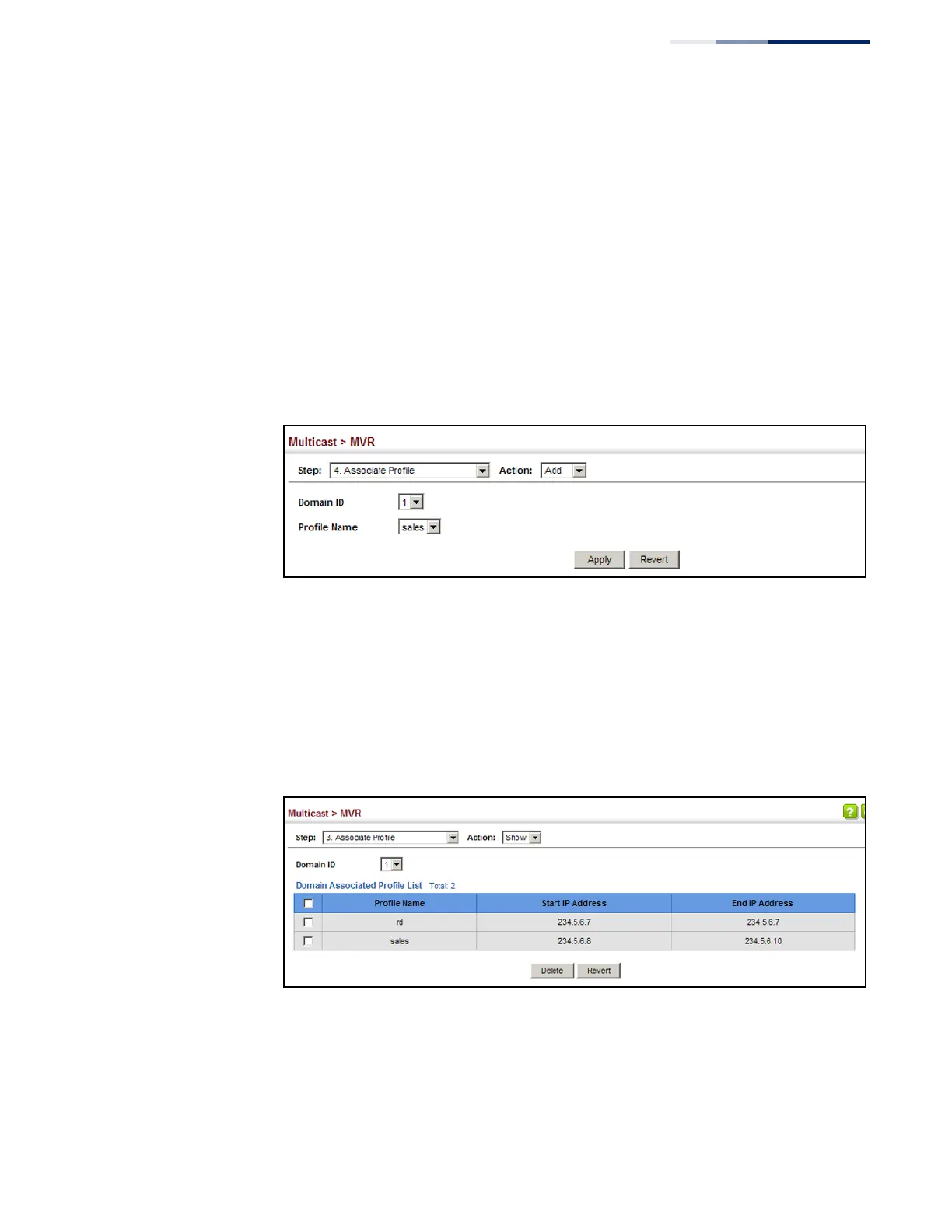
To assign an MVR group address profile to a domain:
1.
Click Multicast, MVR.
2.
Select Associate Profile from the Step list.
3.
Select Add from the Action list.
4.
Select a domain from the scroll-down list, and enter the name of a group
profile.
5.
Click Apply.
Figure 373: Assigning an MVR Group Address Profile to a Domain
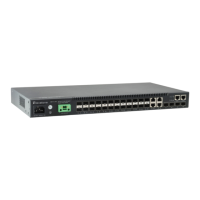
To show the MVR group address profiles assigned to a domain:
1.
Click Multicast, MVR.
2.
Select Associate Profile from the Step list.
3.
Select Show from the Action list.
Figure 374: Showing the MVR Group Address Profiles Assigned to a Domain










 To Next Page