Chapter 13
| Basic Administration Protocols
Switch Clustering
– 447 –
Web Interface
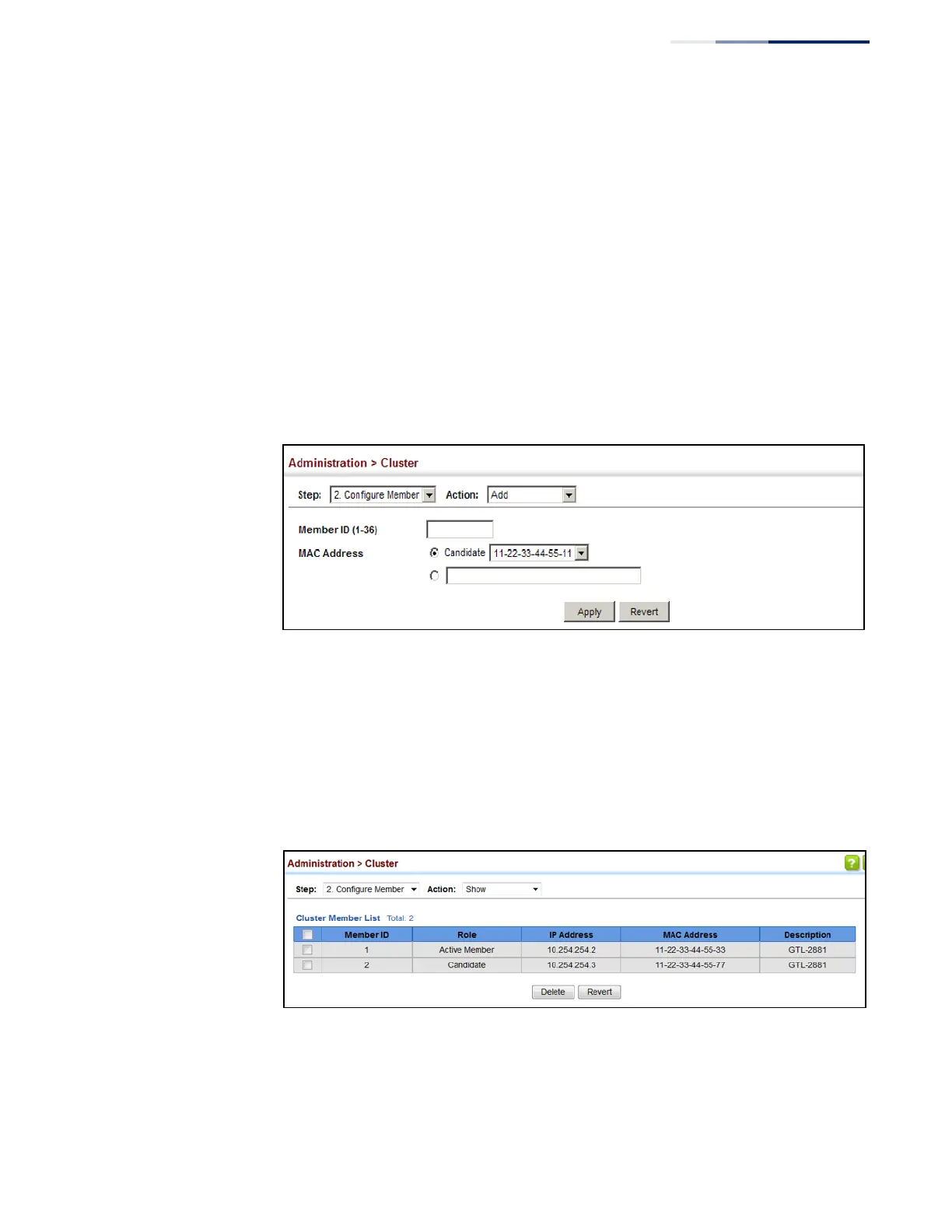
To configure cluster members:
1.
Click Administration, Cluster.
2.
Select Configure Member from the Step list.
3.
Select Add from the Action list.
4.
Select one of the cluster candidates discovered by this switch, or enter the MAC
address of a candidate.
5.
Click Apply.
Figure 290: Configuring a Cluster Members
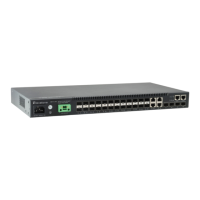
To show the cluster members:
1.
Click Administration, Cluster.
2.
Select Configure Member from the Step list.
3.
Select Show from the Action list.
Figure 291: Showing Cluster Members










 To Next Page