3. AC Smart Menu
AC Smart
3-68
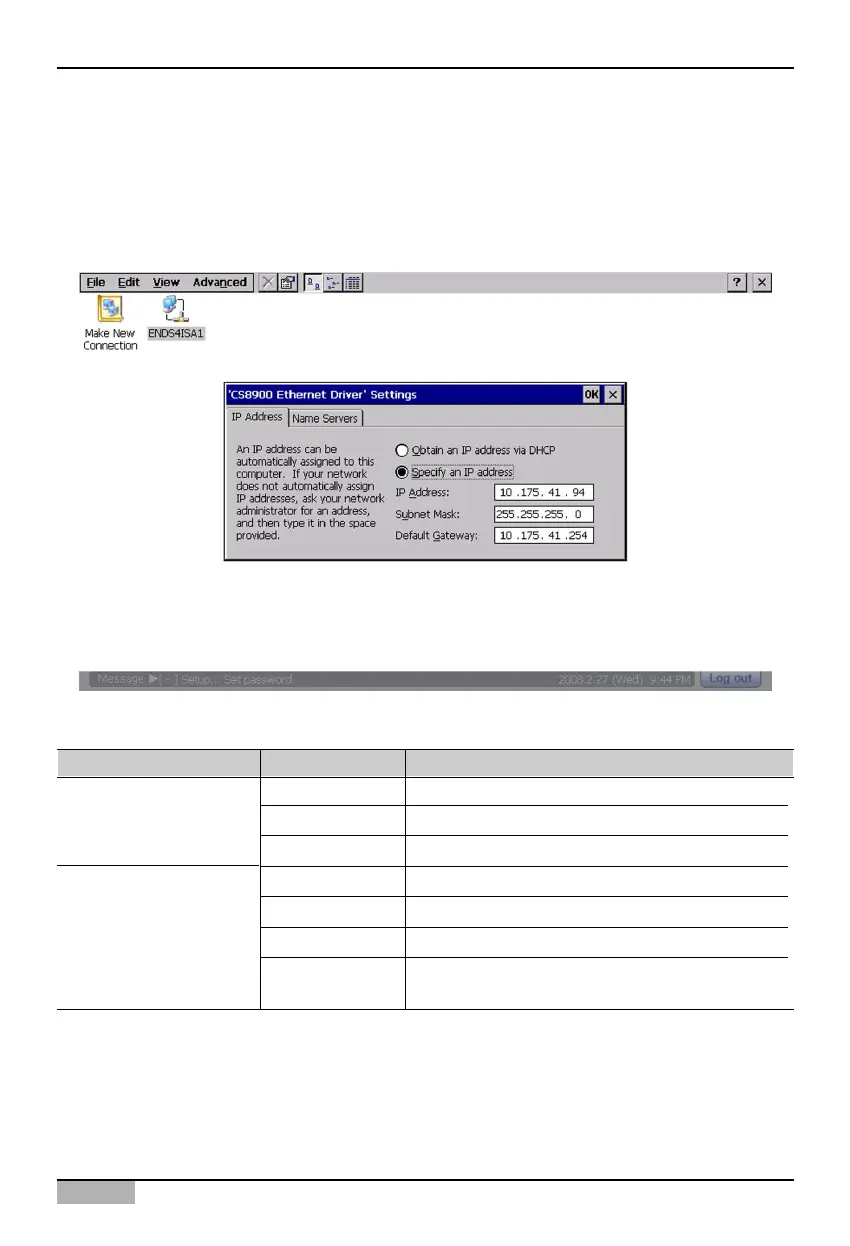
The following items should be set at the screen for setting the IP address.
Adapter network setting
In order to use the web server function of the AC Smart, the IP information should be set at the AC
Smart. When you click [Ñ] button next to ‘Adapter network setting’ at ‘Network’ screen, it is switched to
the following screen.
When you double click ‘ENDS41SA1’ icon, the screen for setting the IP address is displayed.
Type Item Description
IP address Enter the IP address to be set at the AC Smart.
Subnet mask Enter the subnet mask for the IP address.
Default gateway Enter the IP address of the gateway.
Primary DNS Enter the IP address of the primary DNS server.
Secondary DNS Enter the IP address of the secondary DNS server.
Primary WINS Enter the IP address when the WINS is used.
Secondary WINS Enter the secondary IP address when the WINS is
used.
IP address
Name server












 To Next Page