4. Operating AC Smart
Installation/Owner's Manual
4-11
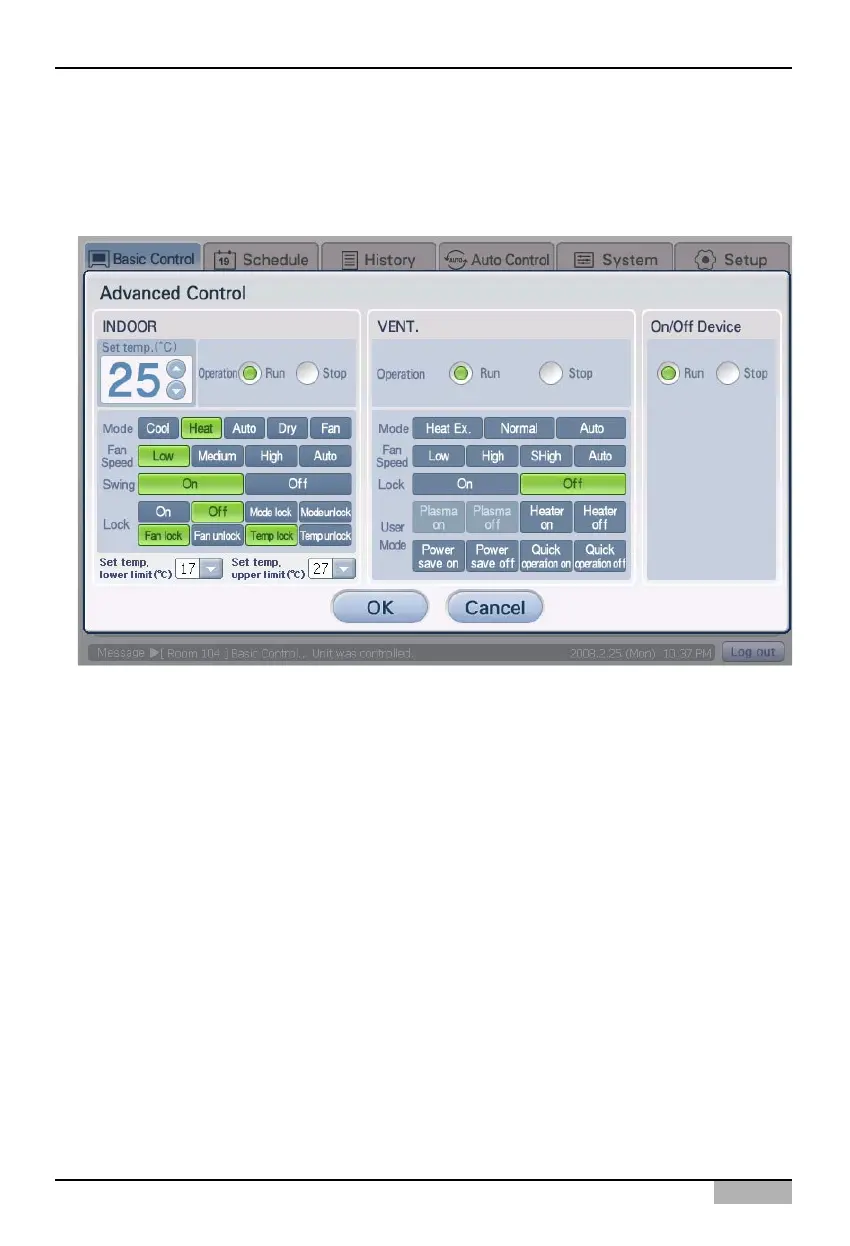
2. 'Detail control' screen is displayed. After clicking on the button of the function to set, click on the
[OK] button. Refer to the following chart for the description of each function.
In order to use the individual lock function and the upper/lower temperature setting function, you
should check ‘Model to be locked in detail’ at the ‘System setting’ menu and save the setting.












 To Next Page