4. Operating AC Smart
AC Smart
4-12
Type
Displayed item
Description
Button Button description
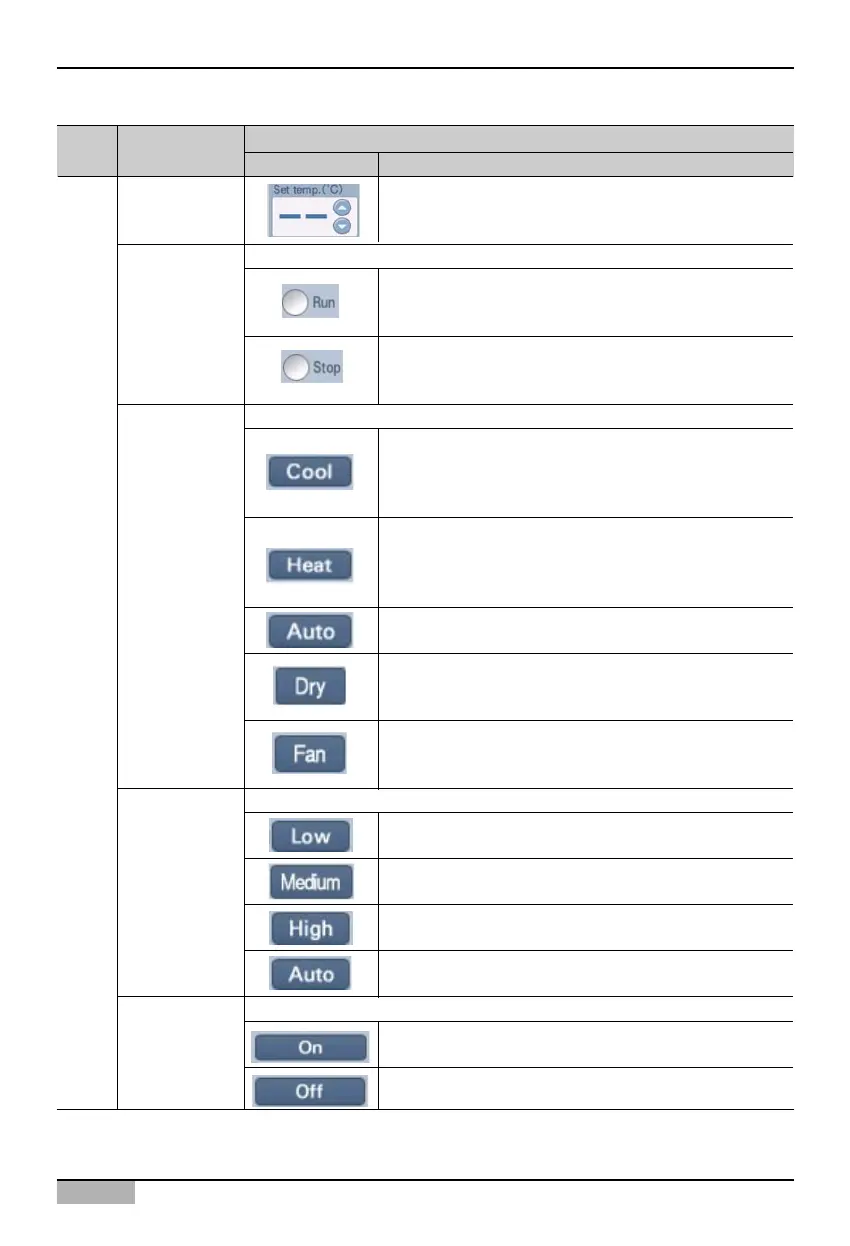
The user can set the desired indoor temperature.
Set temperature
You can operate or stop the unit.
This operates the unit.
Power
This stops the unit.
You can set the operating mode of the unit.
Mode
You can set the fan level of the indoor unit.
Fan level
You can set the wind direction to exhaust in left/right or top/bottom direction.
Wind direction
It operates in cool mode. You can set the desired
temperature from SET TEMP in the range of
18°C~30°C. When the desired temperature is higher
than the indoor temperature, it operates in fan mode.
It operates in heat mode. You can set the desired
temperature from SET TEMP in the range of
18°C~30°C. When the desired temperature is lower
than the indoor temperature, it operates in fan mode.
It evaluates the indoor and outdoor condition and
maintains the optimal condition automatically.
This operates the dehumidify mode. When you set this
during the rainy season or when it is humid, the
dehumidifier will remove the humidity effectively.
This operates the fan mode. When you set this for air
cleaning operation, fresh air will be circulated. In spring
and fall, it is good to use the air cleaner independently.
This sets the fan level of the indoor unit to low.
This sets the fan level of the indoor unit to med.
This sets the fan level of the indoor unit to high.
This measures the indoor and outdoor temperature to
maintain the indoor air at optimal condition.
This sets the wind direction
This does not set the wind direction.
Indoor unit












 To Next Page