4. Operating AC Smart
Installation/Owner's Manual
4-27
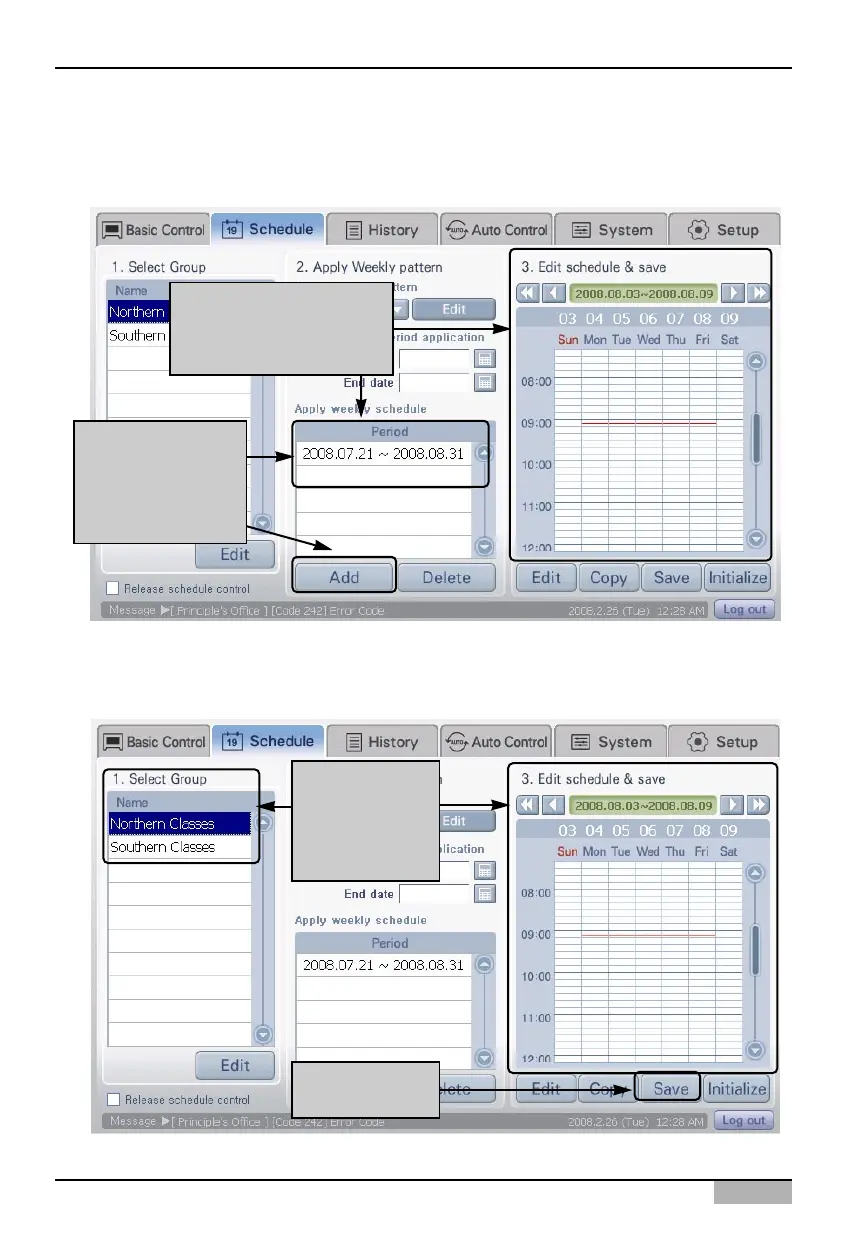
3. When you click on the [Add] button in 'Apply weekly schedule', the applied period is displayed.
When you click on the period to apply, the period and schedule to apply are displayed in '3. Edit
and save schedule'.
4. Click on [Save] button to save the current setting. After the schedule is saved, you can select
group from '1. Select group' and check the applied schedule of the applicable group.
When you select period
to apply, you can check
the schedule
You can select
group after
saving to check
the schedule
Click on [Save]
button to save
When you click on
[Add] button, the
period to apply is
displayed












 To Next Page