4. Operating AC Smart
Installation/Owner's Manual
4-31
4.
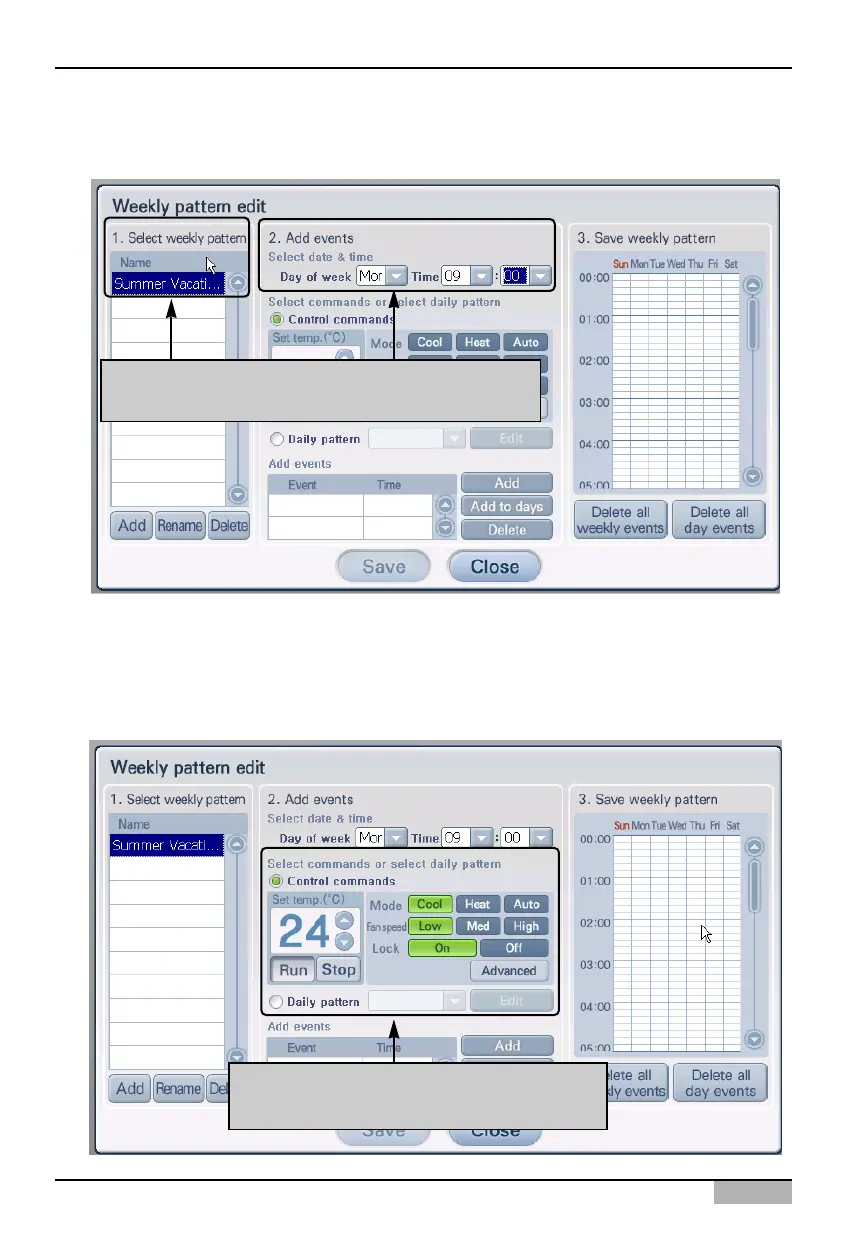
Check whether the weekly pattern name has been created.
Next you must add an event. Set the date and time to start the event from 'Edit date and time'.
5. You can set the control command or select daily pattern to designate the operation to execute by
the unit, you can apply it as an event. To set an event through control command, check the check
box located in front of 'Control command' to select the control command. If you want to set the
event through daily pattern, check the check box in front of the 'Daily pattern' to designate the daily
pattern. Refer to the following chart for the operations you can select from 'Control command'.
After checking whether the weekly pattern name
has been created, set the event date and time
Set operation for control command,
For daily pattern, select applicable pattern












 To Next Page