4. Operating AC Smart
AC Smart
4-36
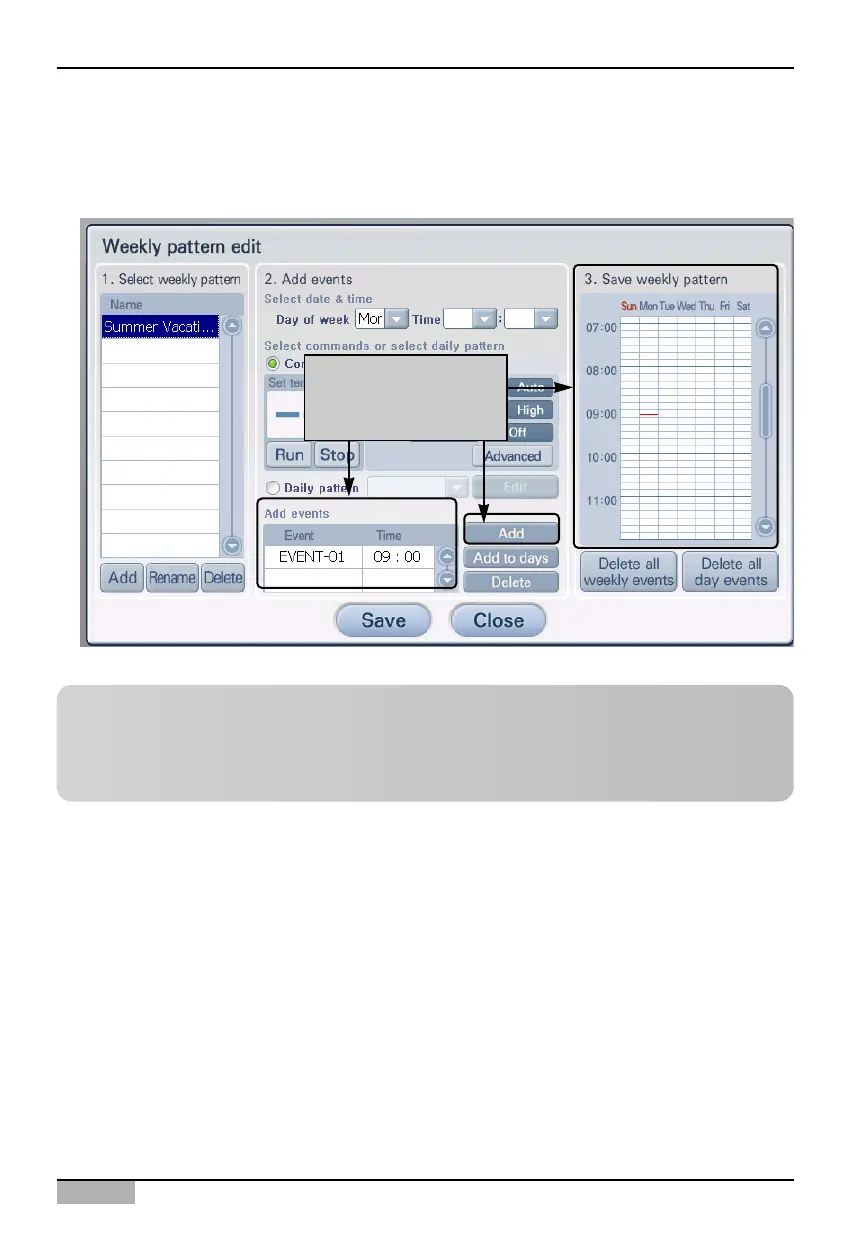
7. When you click on the [Add] button, you can add an event. Check whether the set event is
displayed in 'Add event' and '3. Save weekly pattern'. If you have more schedule planned, repeat
the process to continuously add the set event.
Click on [Add] button,
you can check the set
event
Reference: Delete event
When you click on the[Delete all weekly event] from '3. Save weekly pattern', all events currently
set will be deleted. Also when you select a specific time zone and click on the [Delete all daily
event] button, all events of the applicable date will be deleted.












 To Next Page