4. Operating AC Smart
AC Smart
4-90
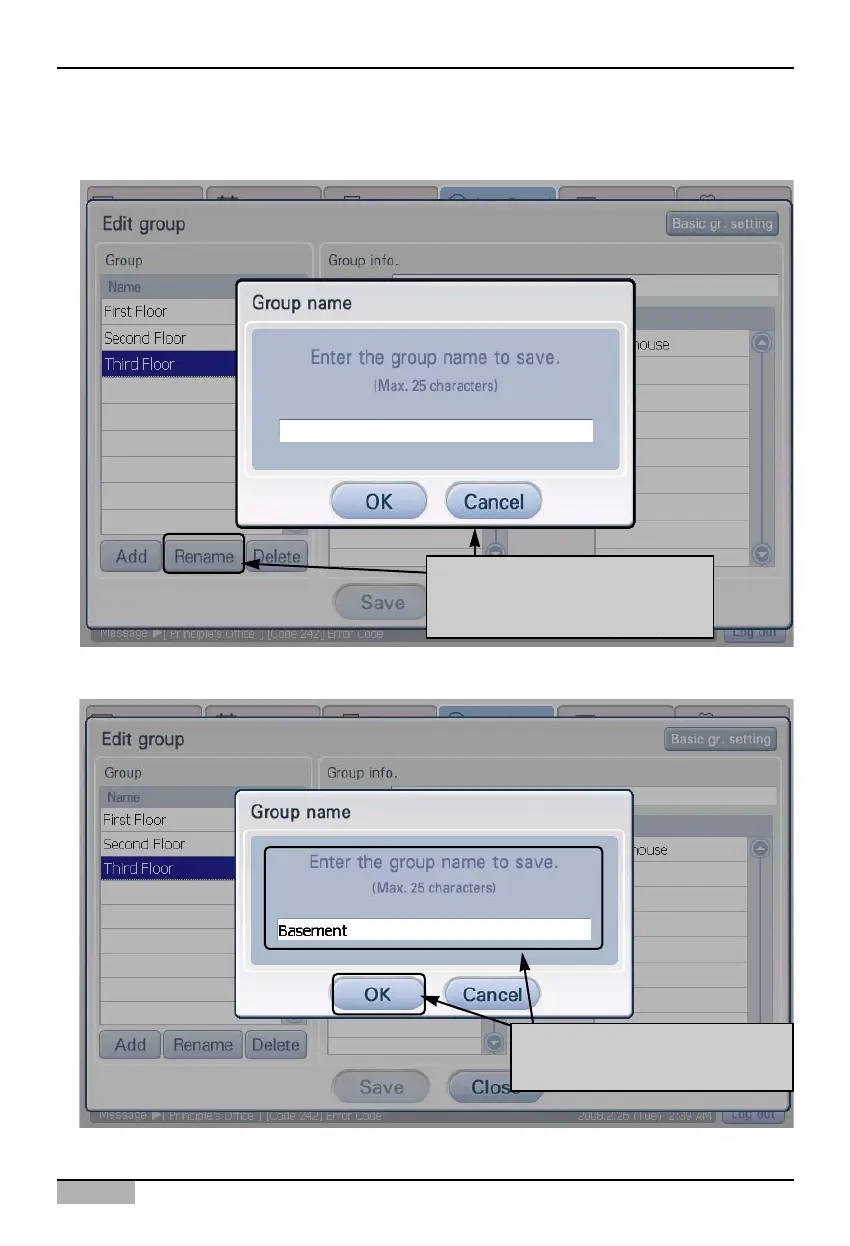
3. 'Edit group' screen is displayed. Select the auto power operation group to rename and click on the
[Rename] button. 'Group name' screen to enter the name of the group to rename is displayed.
4. After entering the name of the auto change over operation group, click on the [OK] button.
When you click on [Rename]
button, 'Rename group' screen is
displayed
After clicking on group name,
click on [OK] button












 To Next Page