4. Operating AC Smart
Installation/Owner's Manual
4-99
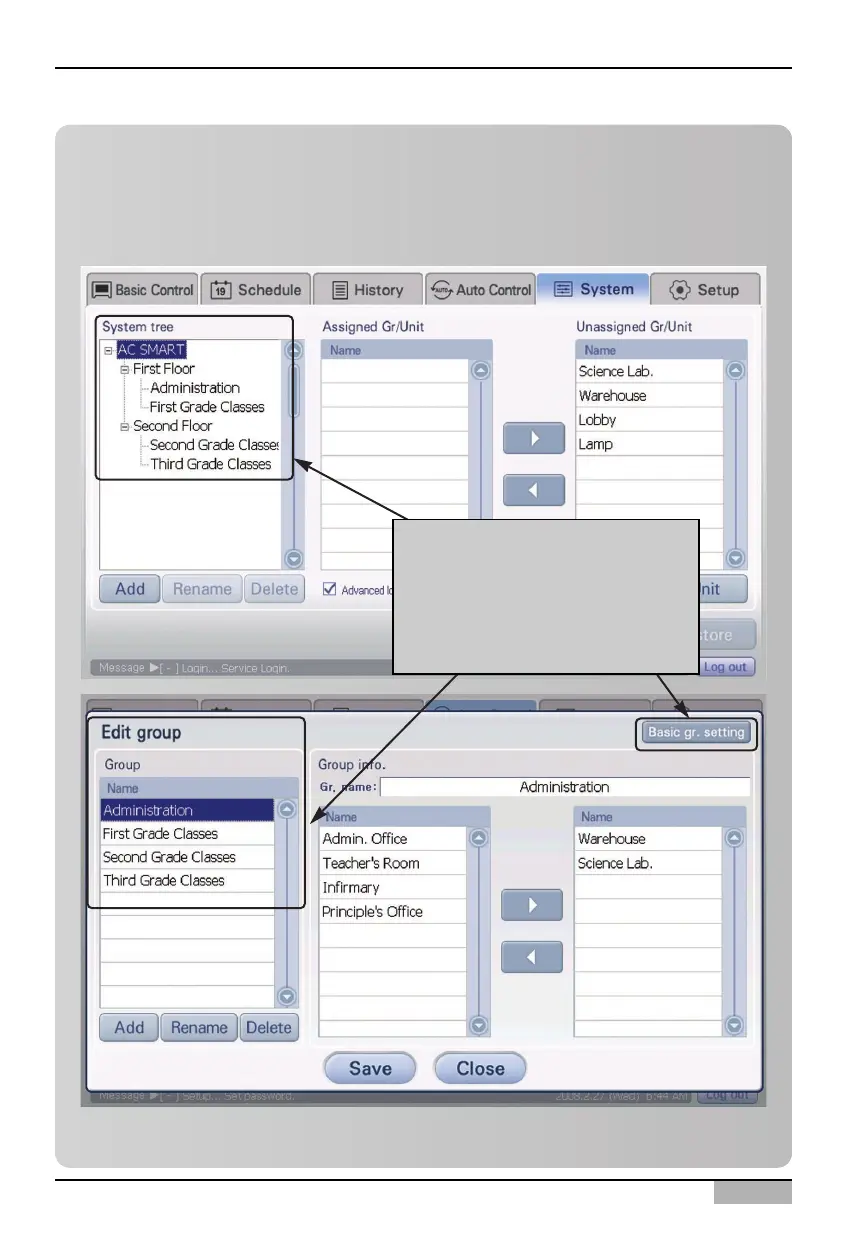
Information: Setting the time-limited running group by using [Set
Default group] button
When you click [Set Default group] button at the top right of ‘Edit Group’ screen, the group same to
the default control groups set for controlling and monitoring at ‘System setting’ menu is created as
Time-limited running group.
When you click [Set Default
group] button, the groups same
to the groups configured at
'Setting' menu are automatically
created as Time-limited running
group












 To Next Page