4. Operating AC Smart
AC Smart
4-100
Deleting Time-limited running group
Keep the following steps to delete the time-limited running group.
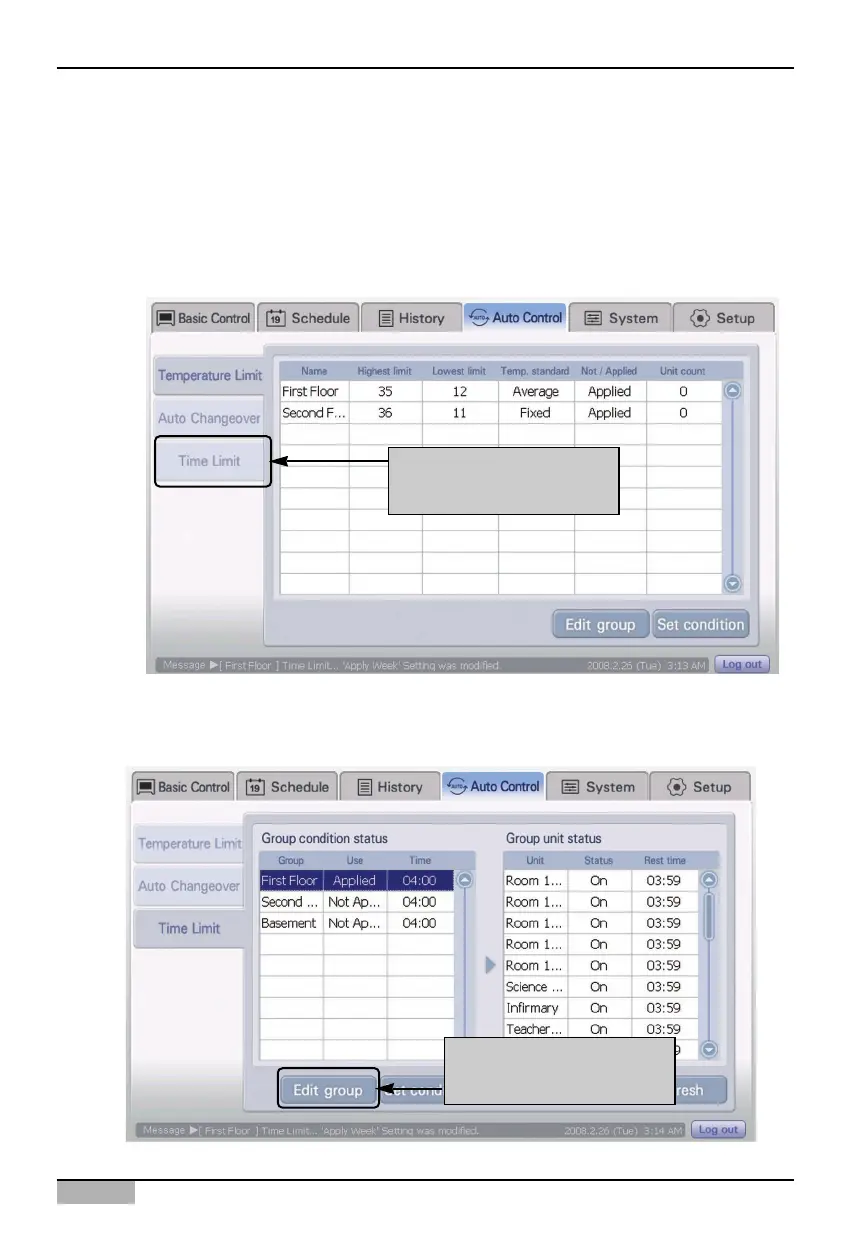
1. Select ‘Automatic control’ menu from the AC Smart menu. When ‘Automatic control’ menu is
selected, the following Automatic control screen is displayed. Press ‘Time-limited running’ at the
sub-menu at the left side of the screen.
2. When ‘Time-limited running’ screen is displayed, click [Edit group] button to delete the time-limited
running group.
Click [Time-limited
running] menu
Click [Edit group]
button












 To Next Page