4. Operating AC Smart
Installation/Owner's Manual
4-111
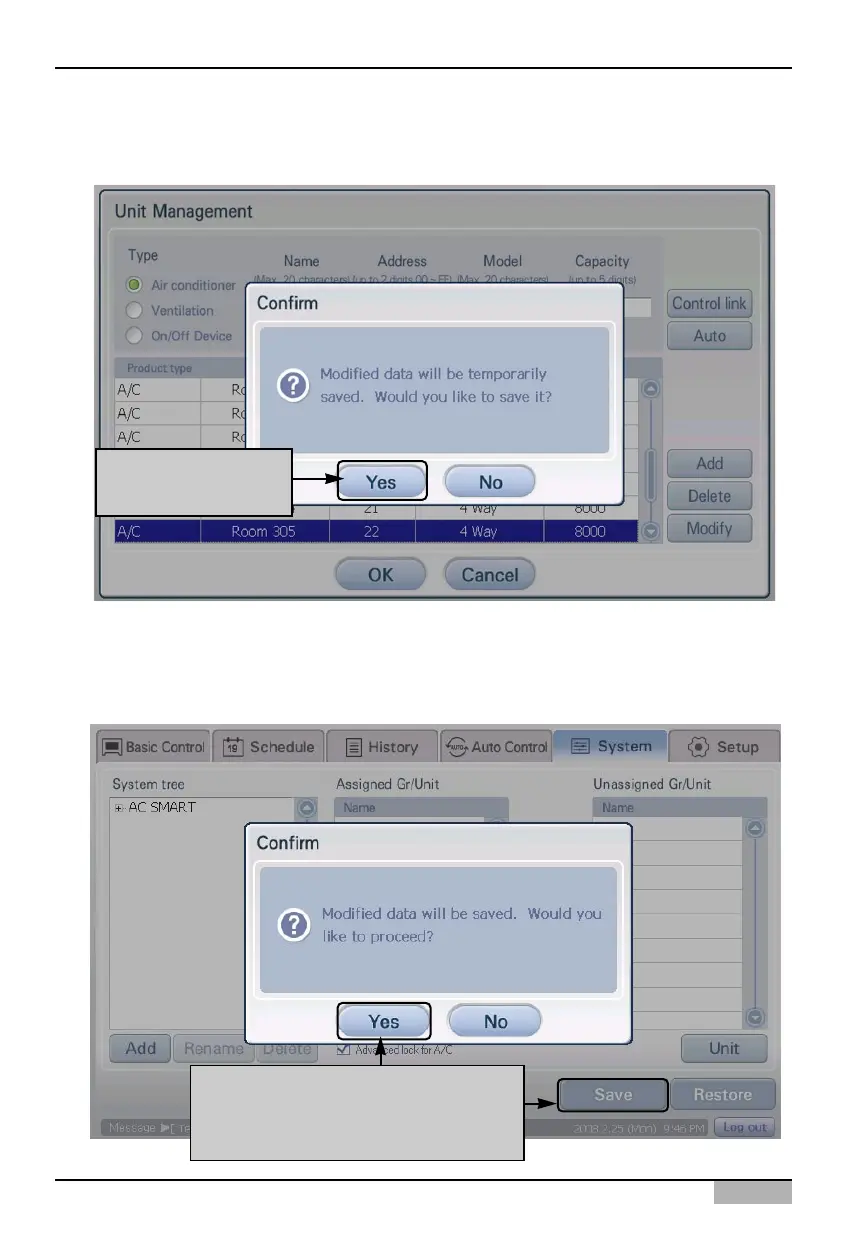
4. 'Information' screen to save the current setting temporarily is displayed. When you click on the
[Yes] button, 'Edit unit' screen will be closed and it will return to the prior screen.
5. Lastly, you must register the temporarily saved unit setting to the system. When you click on the
[Save] button, the current setting will be applied to the system and the screen will display the
message saying that saving process has been completed. Click on the [OK] button to complete the
registration.
To apply to system
click on [Yes] button
To apply to system, click on [Save]
button When saving is completed,
click on [Yes] button












 To Next Page