4. Operating AC Smart
AC Smart
4-110
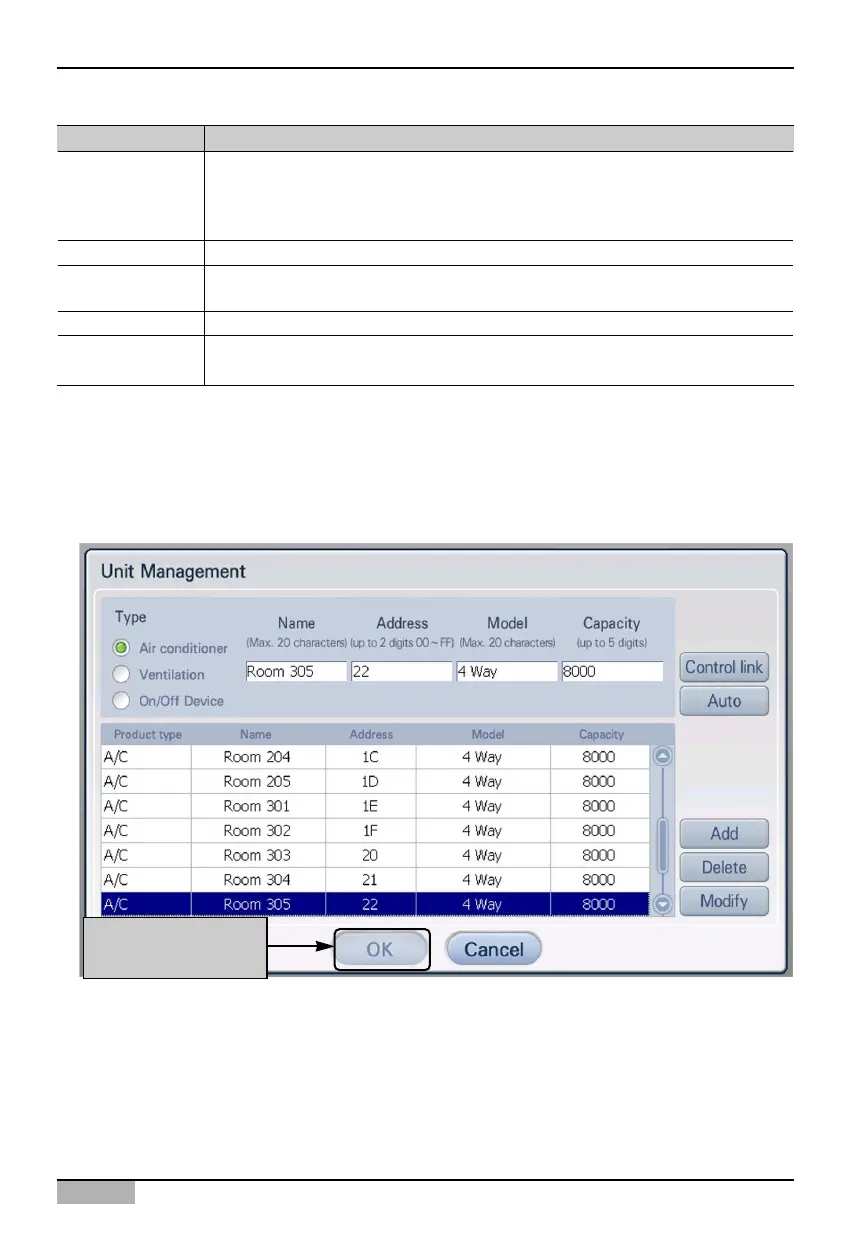
3. Added unit information is displayed in the table. Repeat the process in the same method to register
all units to add.
To save the registered unit, click on the [OK] button. To cancel the current setting, click on the
[Cancel] button.
To apply to system
click on [OK] button
Item Description
Enter the type of unit.
- Air conditioner
- Ventilator
- On/Off Device
Enter the name of the unit. You can enter up to 20 characters.
Enter the physical address of the unit. The physical address value is between 00 and
FF, and cannot be duplicated.
Enter the model of the unit. You can enter up to 20 characters.
Enter the maximum power consumption value. The power consumption must not
exceed the set value. You can enter up to 5 digits.
Name
Address
Model
Capacity
Product type












 To Next Page