4. Operating AC Smart
Installation/Owner's Manual
4-109
Directly registering new unit
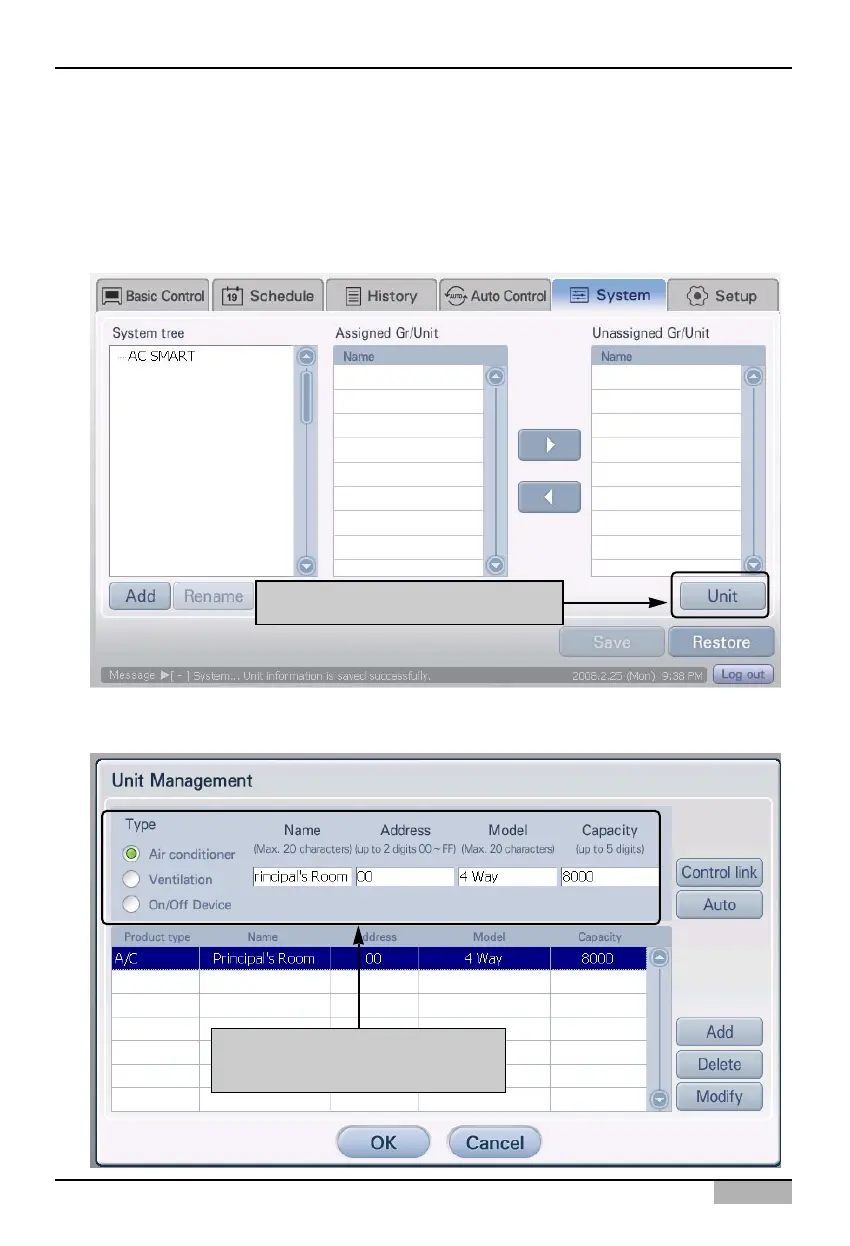
The user can directly register the unit connected to AC Smart. To register the unit, proceed in the
following order.
1. Select the 'Setting' menu from the menu of AC Smart. When you select the 'Setting' menu, the
following screen is displayed. Click on the [Edit unit] button located on the right side of the screen.
2. 'Edit unit' screen to register the unit is displayed. Enter the information of the unit and click on the
[Add] button. Refer to the following chart for information to enter.
Click on [Register unit] button
After entering unit information,
Click on [Add] button












 To Next Page