4. Operating AC Smart
AC Smart
4-120
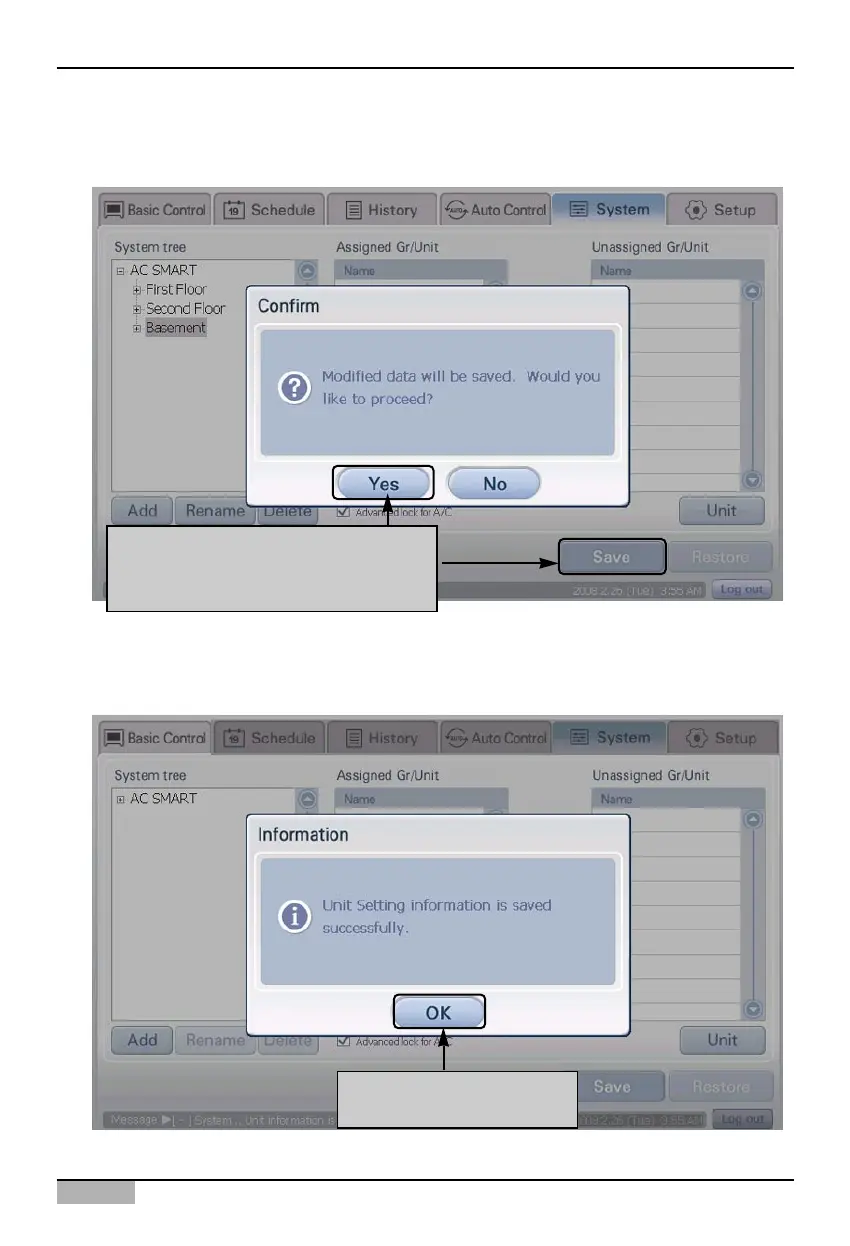
5. Click on the [Save] button to save the changes. Message confirming to save will be displayed on
screen. Click on the [Yes] button.
6. After the setting process is displayed on the screen, the save complete message is displayed.
When you click on the [OK] button, the save process will be completed.
After clicking on [Save] button when
"Information" screen is displayed,
click on [Yes] button
Click on [OK] button to
complete saving












 To Next Page