4. Operating AC Smart
AC Smart
4-144
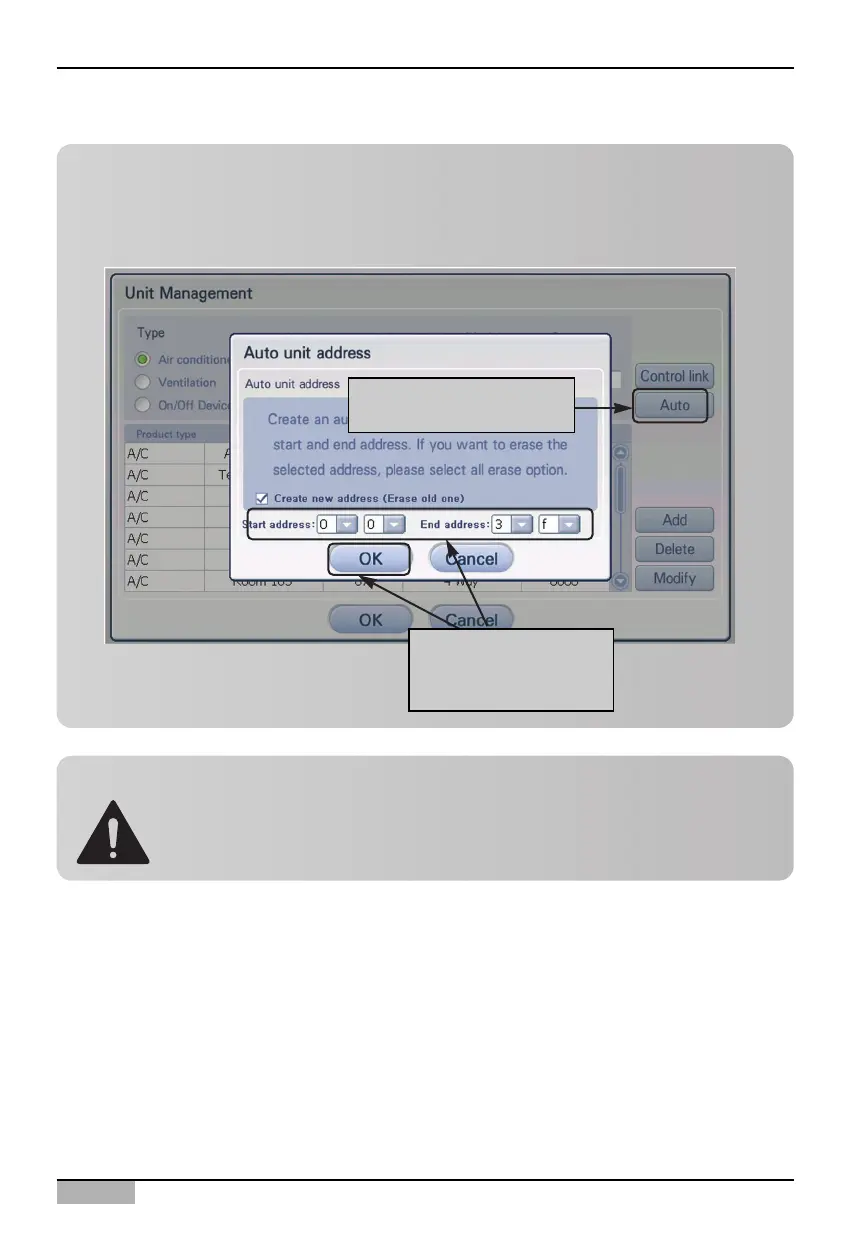
When interconnecting with the external central controller, in order to automatically register the unit
at the AC Smart, the address range should be specified not to conflict with the address set the
other controller. When you [Automatic setting] button, the screen to specify the range is displayed.
Click [Auto] button
Specify the address
range and click [OK]
button.
Caution: When interconnecting ACP .
First, Set unit Address in AC Smart and ACP.
And then, reset ACP if AC Smart interconnect ACP.
If not reset ACP, AC smart could not work well.












 To Next Page