4. Operating AC Smart
Installation/Owner's Manual
4-161
Item Description
IP address Enter the IP address to be set at the AC Smart.
Subnet mask Enter the subnet mask for the IP address.
Default gateway Enter the IP address of the gateway.
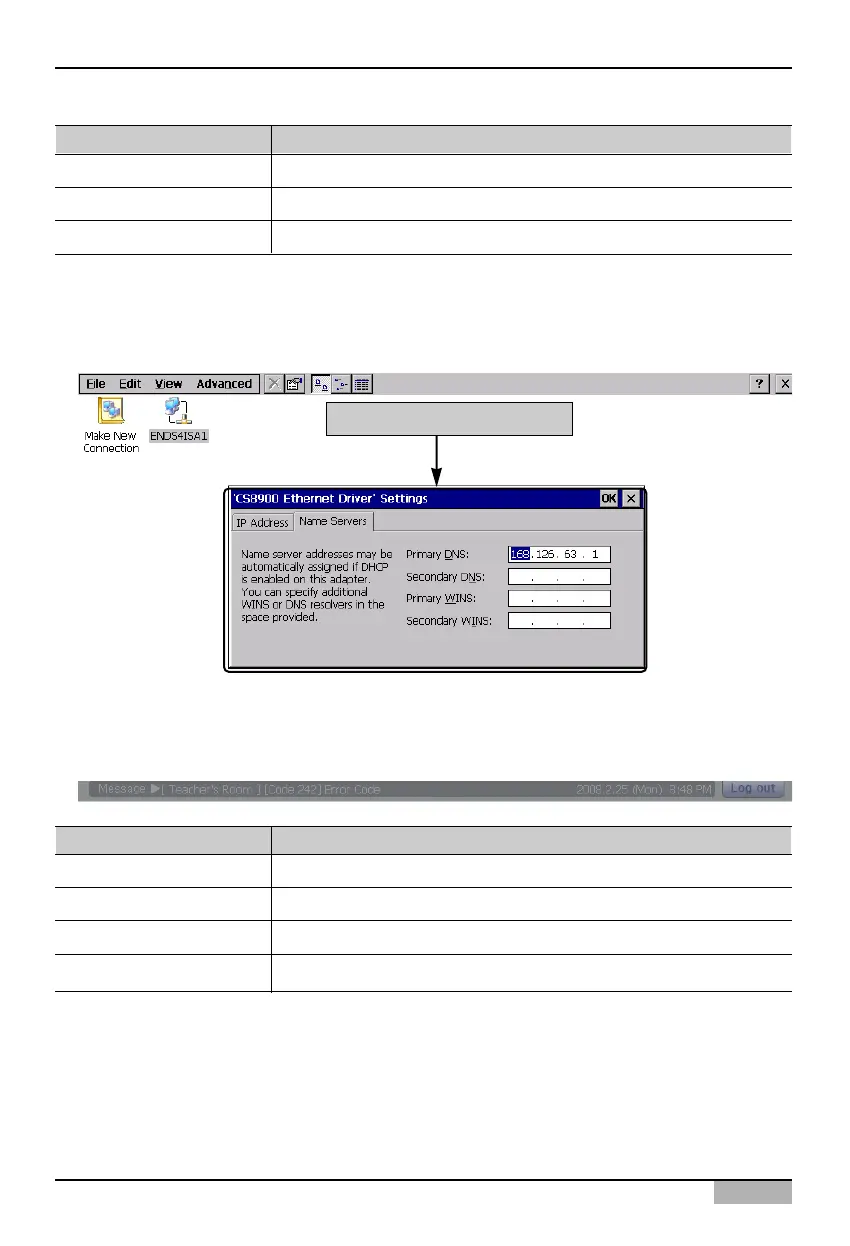
4. Press ‘Name server’ tab to select whether to set the IP address of the additional DNS (Domain
Name Server). When you enter the IP address of the DNS, enter the additional information as
shown at the below table.
Set the name server
Item Description
Primary DNS Enter the IP address of the primary DNS server.
Secondary DNS Enter the IP address of the secondary DNS server.
Primary WINS Enter the IP address when the WINS is used.
Secondary WINS Enter the secondary IP address when the WINS is used.












 To Next Page