4. Operating AC Smart
AC Smart
4-162
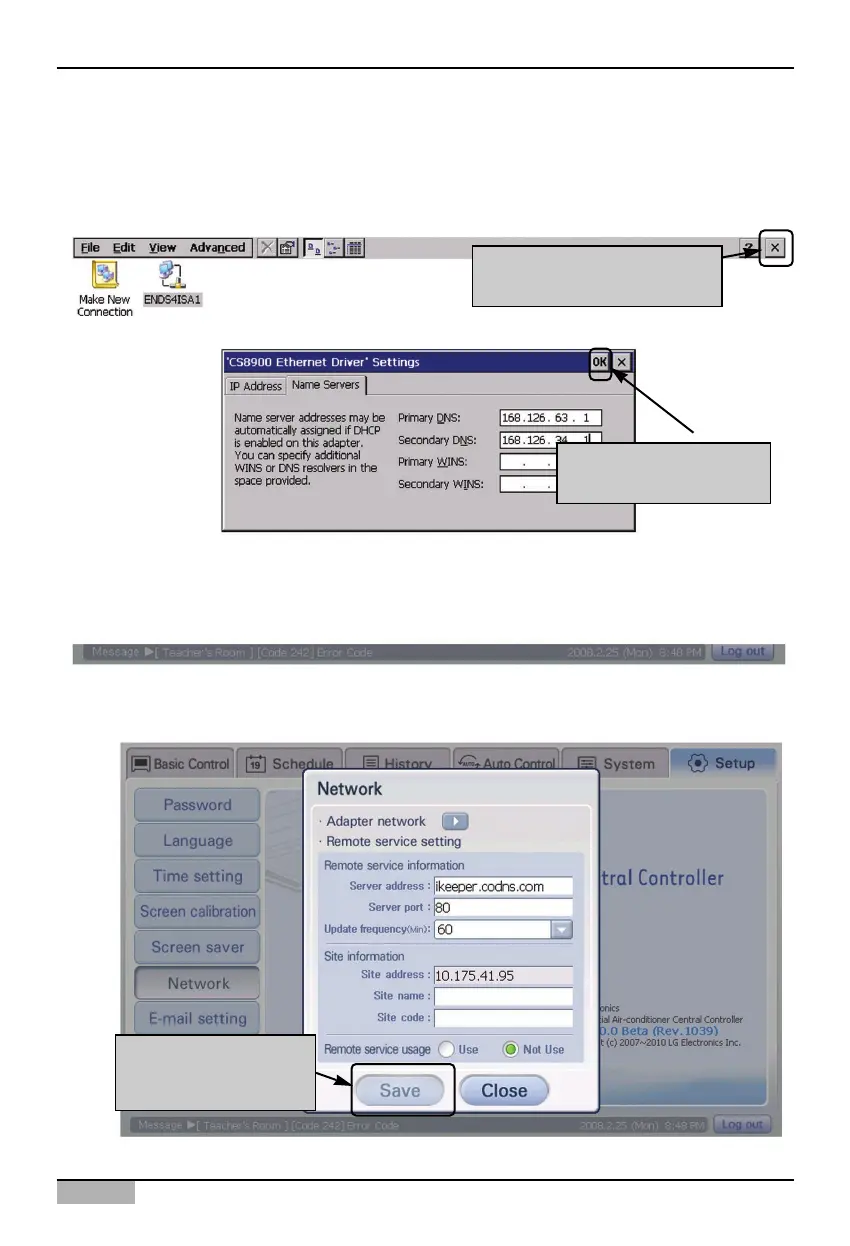
5. Press [OK] button to apply the current network information setting to the system. ‘CS8900 Ethernet
Driver setting’ screen is ended and it returns to the previous adapter network setting screen.
Finally, when you press [X] button at the top right on the screen, setting the adapter network is
finished.
Click [X] button to return to
the initial screen
Click [OK] button to end
setting
6. When you press [Save] button, all network settings are saved and it returns to the ‘Environment
setting’ menu.
Press [Save] button to
end setting the network












 To Next Page