2. AC Smart Installation
AC Smart
2-23
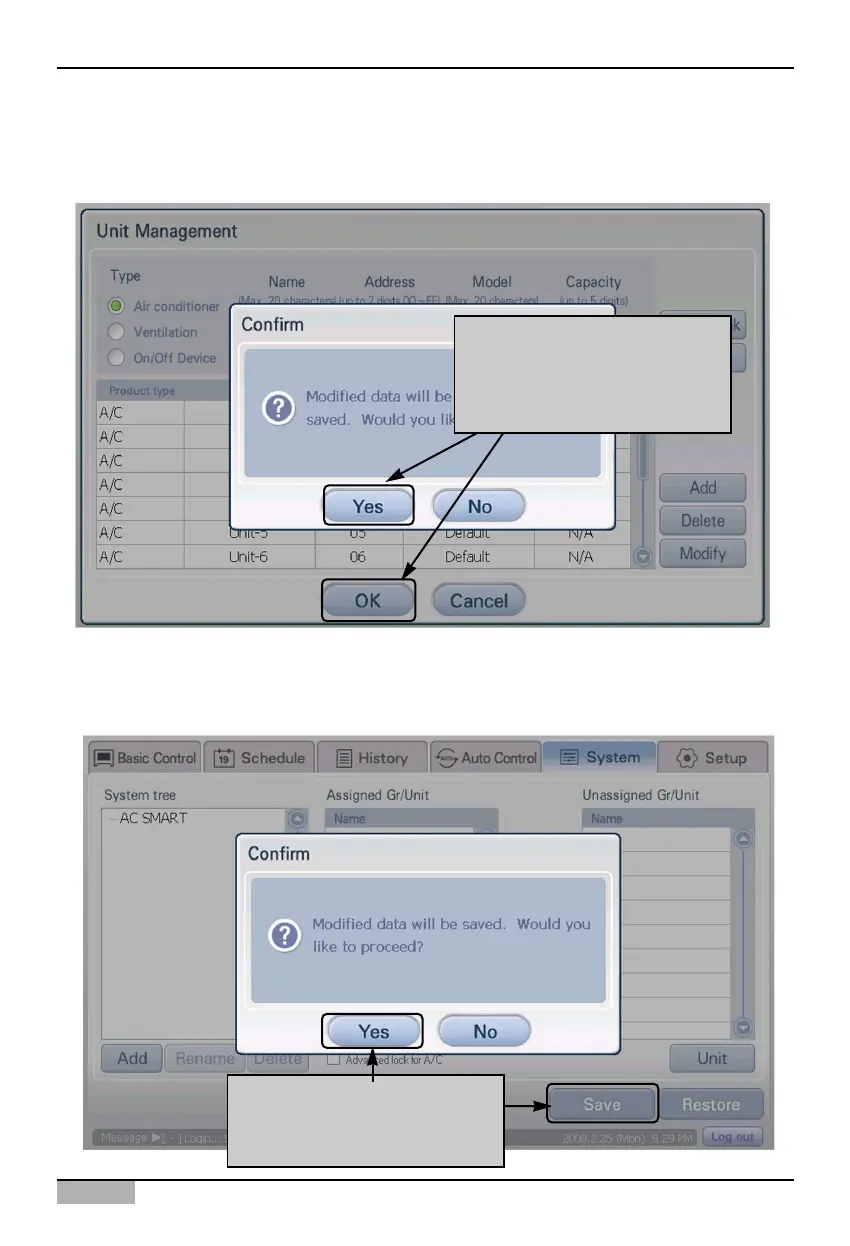
4. Temporarily store the searched unit. When you press [OK] button, the ‘Confirm’ screen for
confirming saving is displayed. When you press ‘Yes’ button, saving is done and it returns to the
previous screen.
5. Finally, the temporarily saved unit setting should be registered to the system.
When [Save] button is pressed, ‘Information’ screen to check whether to apply the current setting to
the system is displayed. Press [Yes] button.
To apply to system click on
[OK] button, 'When the
'Information' screen is
displayed click on [Yes] button
To apply to system, click on
[Save] button click on [Yes]
button












 To Next Page