2. AC Smart Installation
AC Smart
2-27
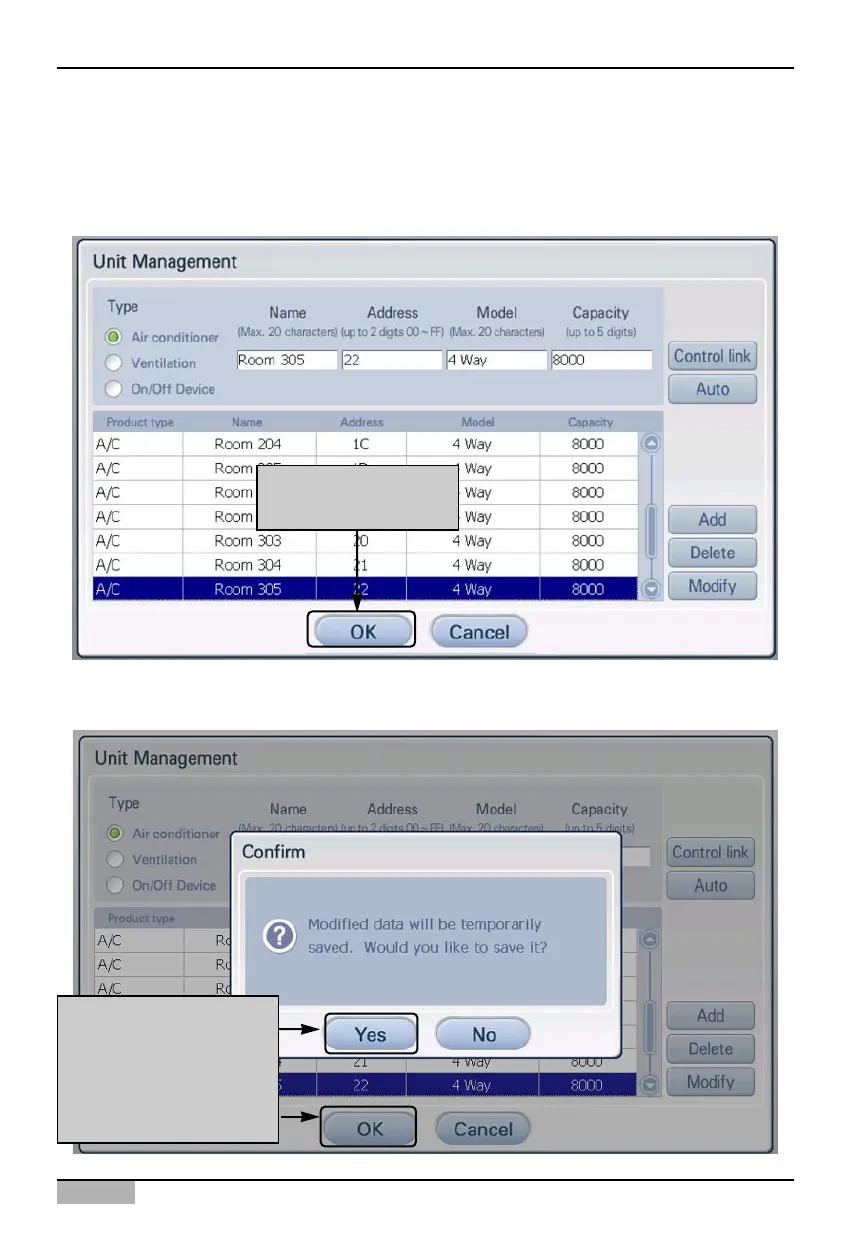
3. The information of the added unit is displayed in the table. Register all the units to add by
repeating the same procedure.
To save the registered units, click on the [OK] button. If you want to cancel the setting up to now,
click on the [Cancel] button.
4. ‘Confirm’ screen to temporarily save the current setting is displayed. When [Yes] button is pressed,
it exits from ‘Unit Management’ screen and returns to the previous screen.
Click on [OK] button
to apply to system
In order to apply to the
system, click [Confirm]
button.
When ‘Confirm’ screen
is displayed, click [Yes]
button.












 To Next Page