3. AC Smart Menu
Installation/Owner's Manual
3-3
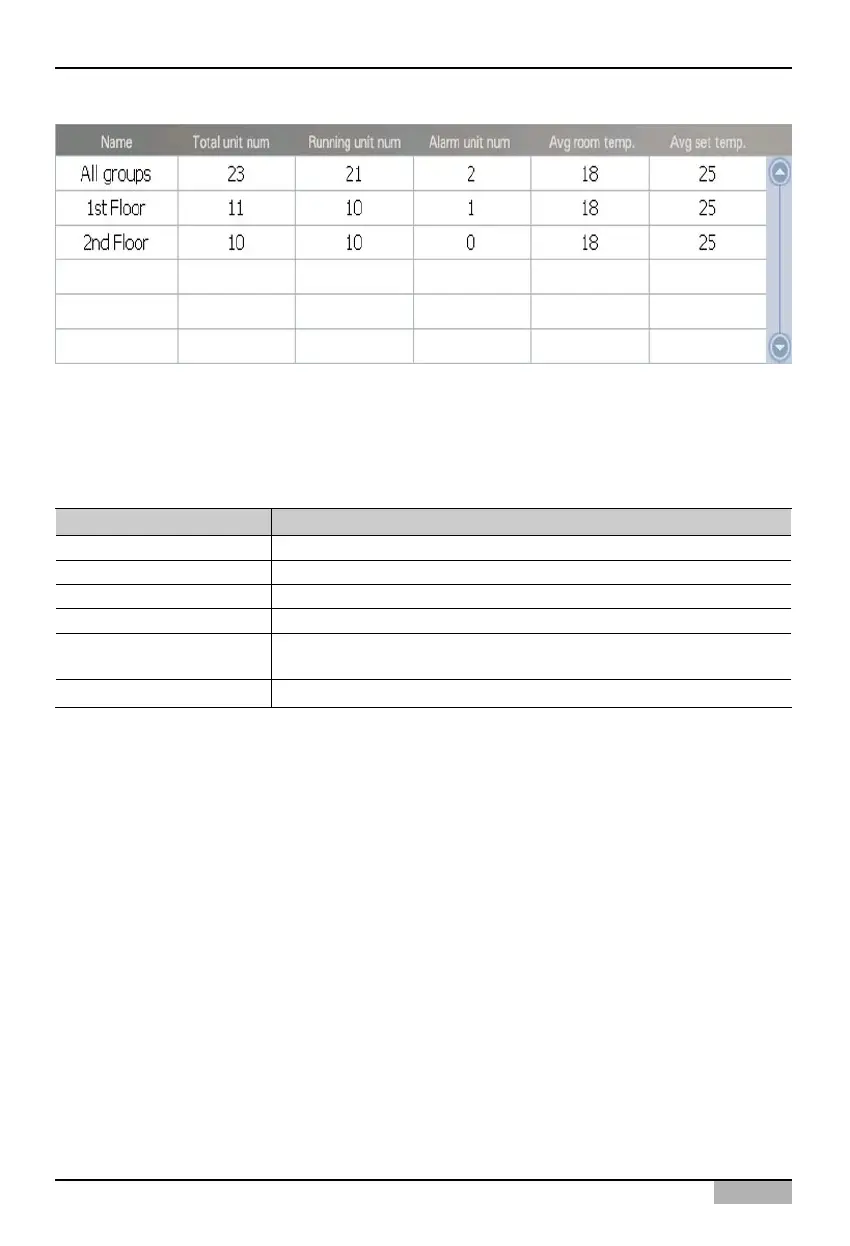
Zone information is displayed basically in icon form. However, when you change ‘Icon’ at the combo
box at the top right of the screen to ‘List’ or ‘Detailed list’, the icon-type information can be changed to
the list-type information. The following information on the selected zone will be displayed for the list
view.
Displayed item Description
Name The name of the selected zone is displayed.
Total number of units The total number of units is displayed.
Number of units in operation The number of units in operation is displayed.
Number of units in alarm The number of units in error status is displayed.
Average indoor temperature
The average indoor temperature where the unit is installed is
displayed.
Average set temperature The average set temperature where the unit is installed is displayed.












 To Next Page