3. AC Smart Menu
Installation/Owner's Manual
3-7
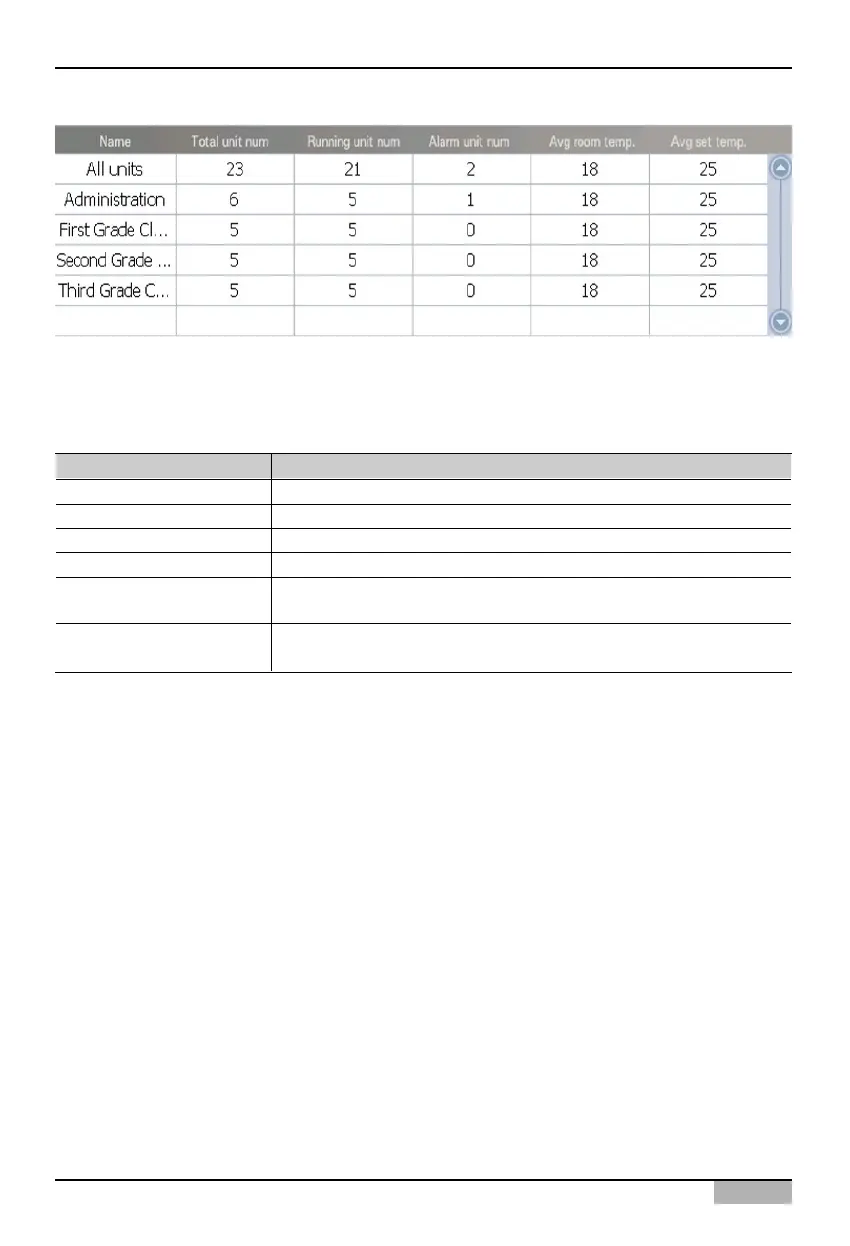
Group information is displayed basically in icon form. But if you change from 'Icon' to 'List' from the
combo box at the top right corner of the screen, the information will change from icon view to list view.
The following information on the selected zone or group will be displayed for the list view.
Displayed item Description
Name The name of the selected group is displayed.
Total number of units The total number of units is displayed.
Number of units in operation The number of units in operation is displayed.
Number of units in alarm The number of units in error status is displayed.
Average indoor temperature
The average indoor temperature where the unit is installed is
displayed.
Average set temperature
The average set temperature where the unit is installed is
displayed.



 To Next Page