3. AC Smart Menu
AC Smart
3-38
Button Description
When you press the [Delete all daily pattern event] button, the
currently set daily event for a specific day will be deleted. When you
select any time internal on a specific day and press this button, all
events set on that applicable day will be deleted.
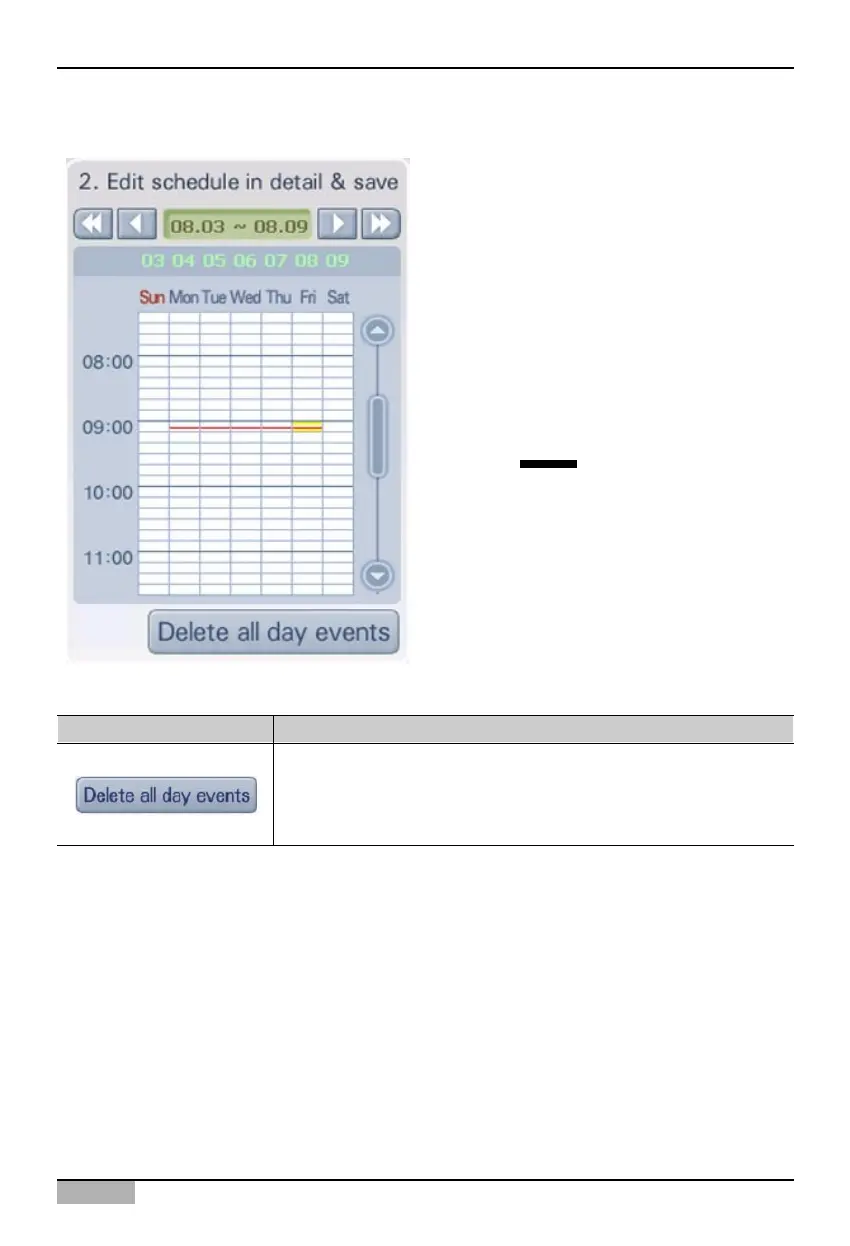
2. Edit and save schedule detail
In '2. Edit and save schedule detail', you can
check the set event. Also you can directly edit or
reset the set event.
On tope of the '2. Edit and save schedule detail',
the operating period in week unit when the
designated event is operating is displayed. Press
the arrow button to move and view.
In the middle of '2. Edit and save schedule detail',
the operation event set status of applied indoor
unit and ventilator is displayed through an image.
The time zone set for the operation event is shown
in red color ( ).
At the bottom of '3. Edit and save schedule', there
is a button as follows.












 To Next Page