Computer Connections and Networking
5
C-DiGit User Manual 5-3
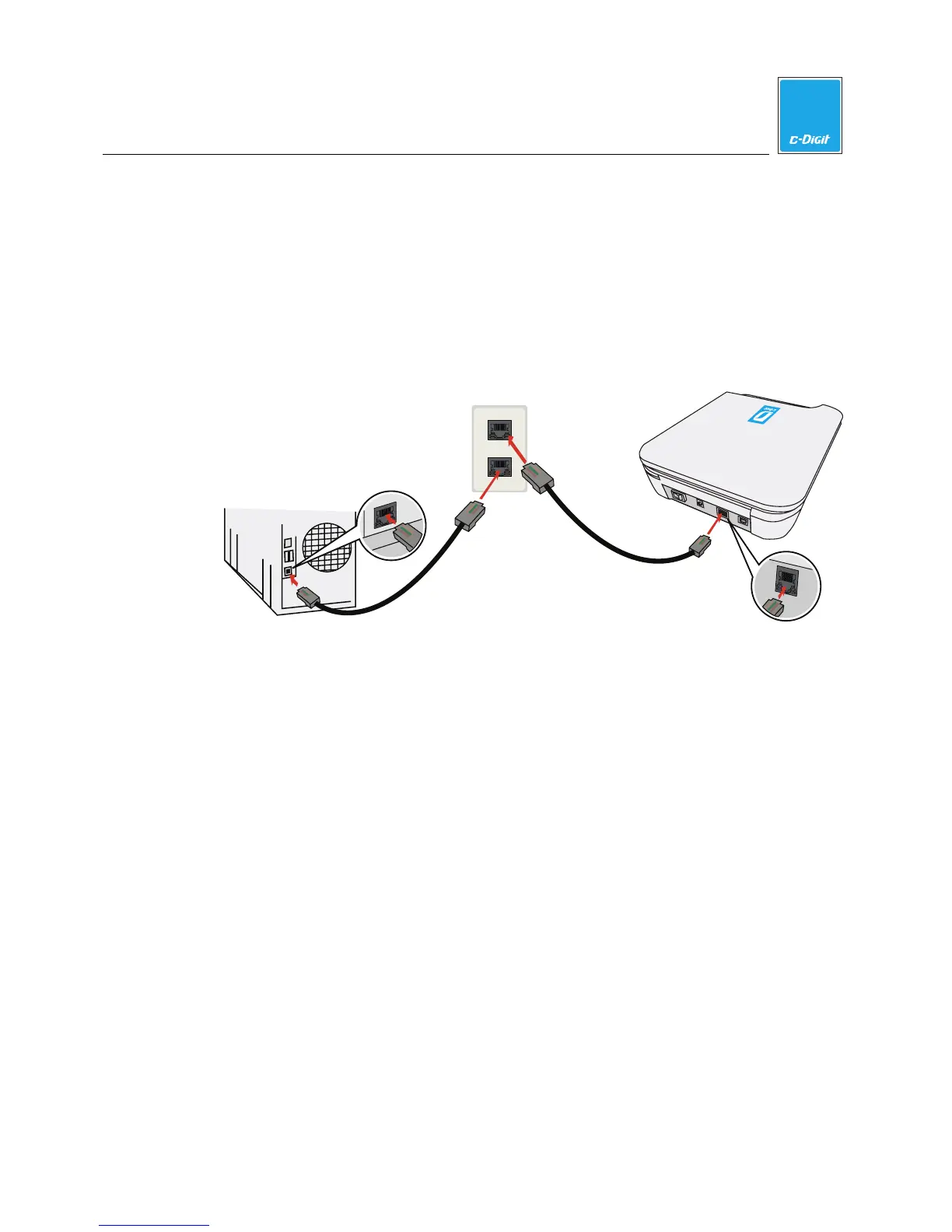
Connection to Existing LAN
Use the supplied Ethernet cable (p/n 616-06116) to connect the C-DiGit Blot
Scanner to an Ethernet wall socket, and a second Ethernet cable (not included) to
connect the computer to another Ethernet wall socket, as shown below. The
C-DiGit Blot Scanner will be recognized in Image Studio, as long as the computer
and C-DiGit Blot Scanner have been connected to the same existing network (same
subnet).
C-DiGit Blot Scanner
Computer
Ethernet Connection
C-DiGit
Ethernet Connection
LAN
LAN
Amp
henol
Ethernet Wall
Socket
LAN
Amphenol
LAN
Amphenol



 To Next Page