Maintenance and Troubleshooting
6
C-DiGit User Manual 6-4
carefully and wick off any pools of substrate before imaging. Do not allow the
membrane to dry.
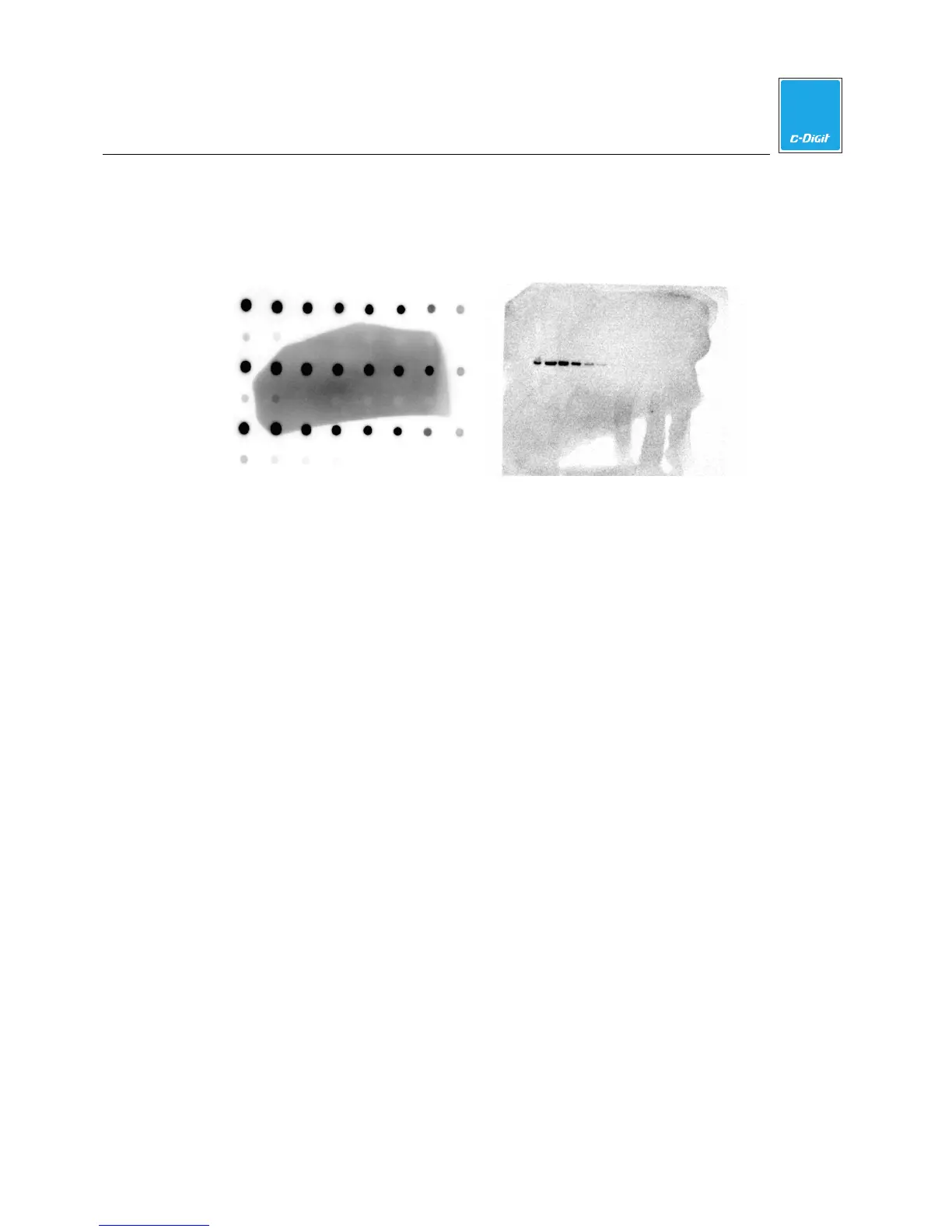
A.
Pooled Substrate B. Substrate Addition to Dried Blot
Figure 6-1. High background due to excess substrate (A), and addition of substrate
to a dried blot (B).
High Background from Wrapping the Blot in Plastic Wrap
Blots can be imaged directly on the C-DiGit Blot Scanner without wrapping in
plastic wrap. In general, the membrane should not dry out in the amount of time it
takes to complete a scan. However, to maintain moisture on the membrane for an
extended amount of time, you can place a clear, flat plastic covering on top of the
chemiluminescent Western blot to keep the substrate in contact with the HRP
enzyme and to prevent the blot from drying out. It will also minimize pooling of
the substrate.
Image the plastic covering by itself first to determine if it scatters light, causing high
background. You may need to try several types of plastic coverings before finding
the best one.
Wrapping the blot in plastic wrap may cause unwanted background, especially if it
is folded or handled roughly. When using plastic wrap it is important to avoid
wrinkles, as they scatter light, resulting in high background. In addition, try to avoid
leaving fingerprints from pressing on the blot.



 To Next Page