Image Studio Software
4
C-DiGit User Manual 4-22
Instrument
The Instrument menu contains options for viewing and managing the instrument
status.
Information
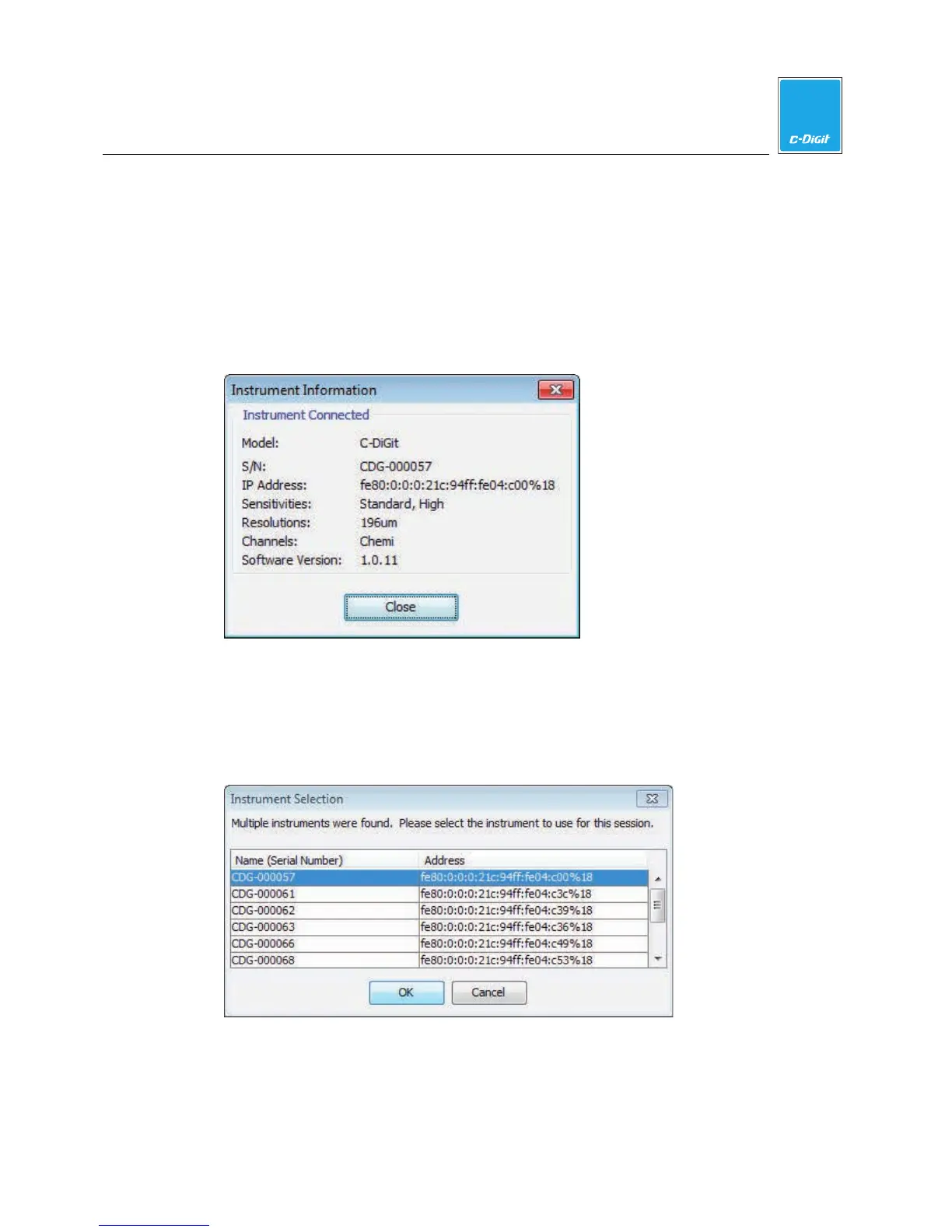
Opens a dialog that displays instrument status, including the serial number, IP
Address, internal software version, etc.
Connect
If there is only one C-DiGit Blot Scanner detected by the computer, it will connect
automatically; if there are multiple C-DiGit Blot Scanners detected, you will have
to choose the desired C-DiGit Blot Scanner from a list of available instruments
(below, listed by serial number).
NOTE: You can find the serial number on a label on the underside of the
instrument.



 To Next Page