Image Studio Software
4
C-DiGit User Manual 4-58
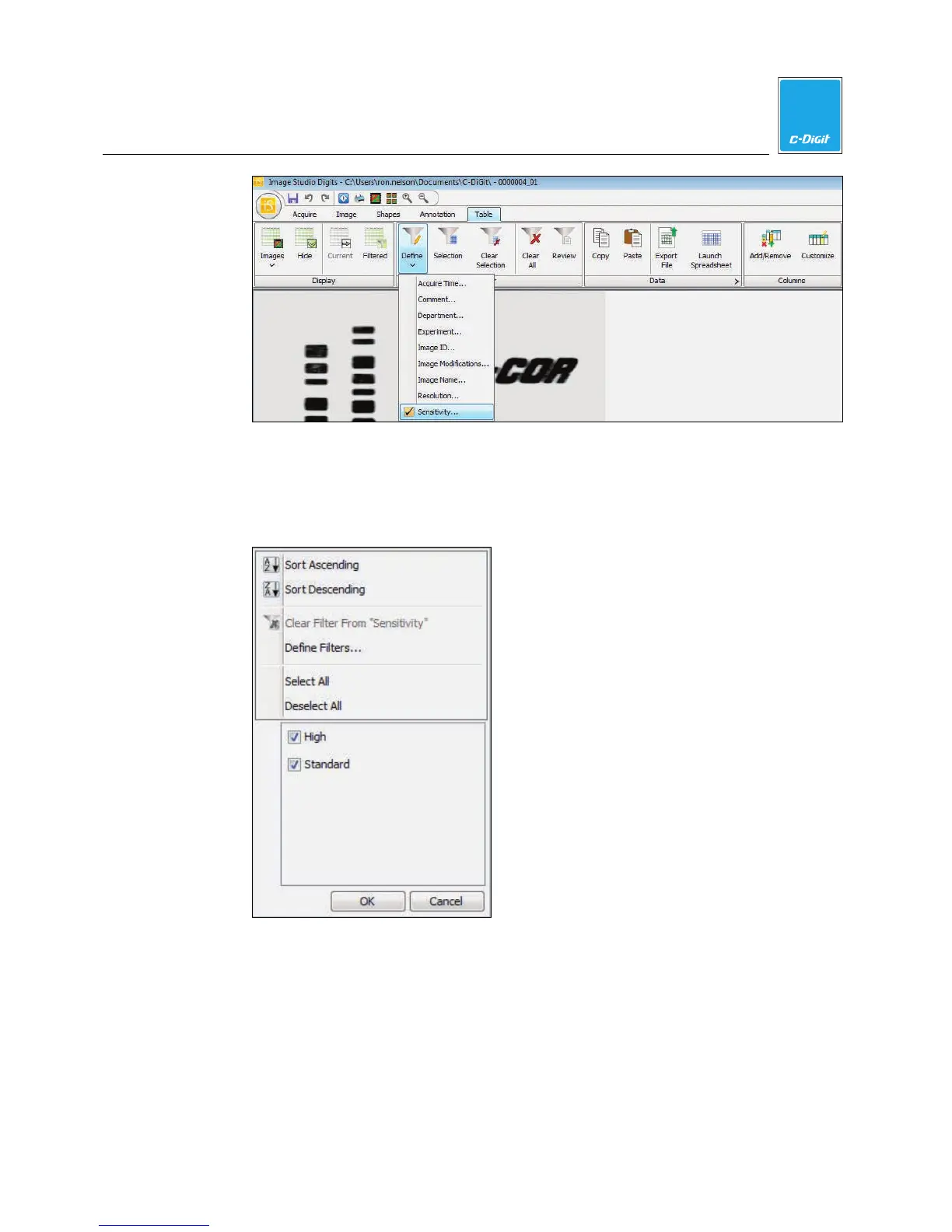
Note: Right-click on any column header in the Table to drop down a menu for
that column.
3. Deselect High by disabling the check box.
4. Click OK. Only images with Shapes with a Standard value in the Sensitivity
column will appear in the Table.
For more Filter Options…
1. Click Define Filters… in the Filter menu.
2. Click one of the filtering phrases to show the Column Filter Analysis menu.
3. Select filtering phrases from the drop-down menu by clicking on the arrows
next to each box, or type your own phrase.



 To Next Page