Trackit Mk3 User Manual
21
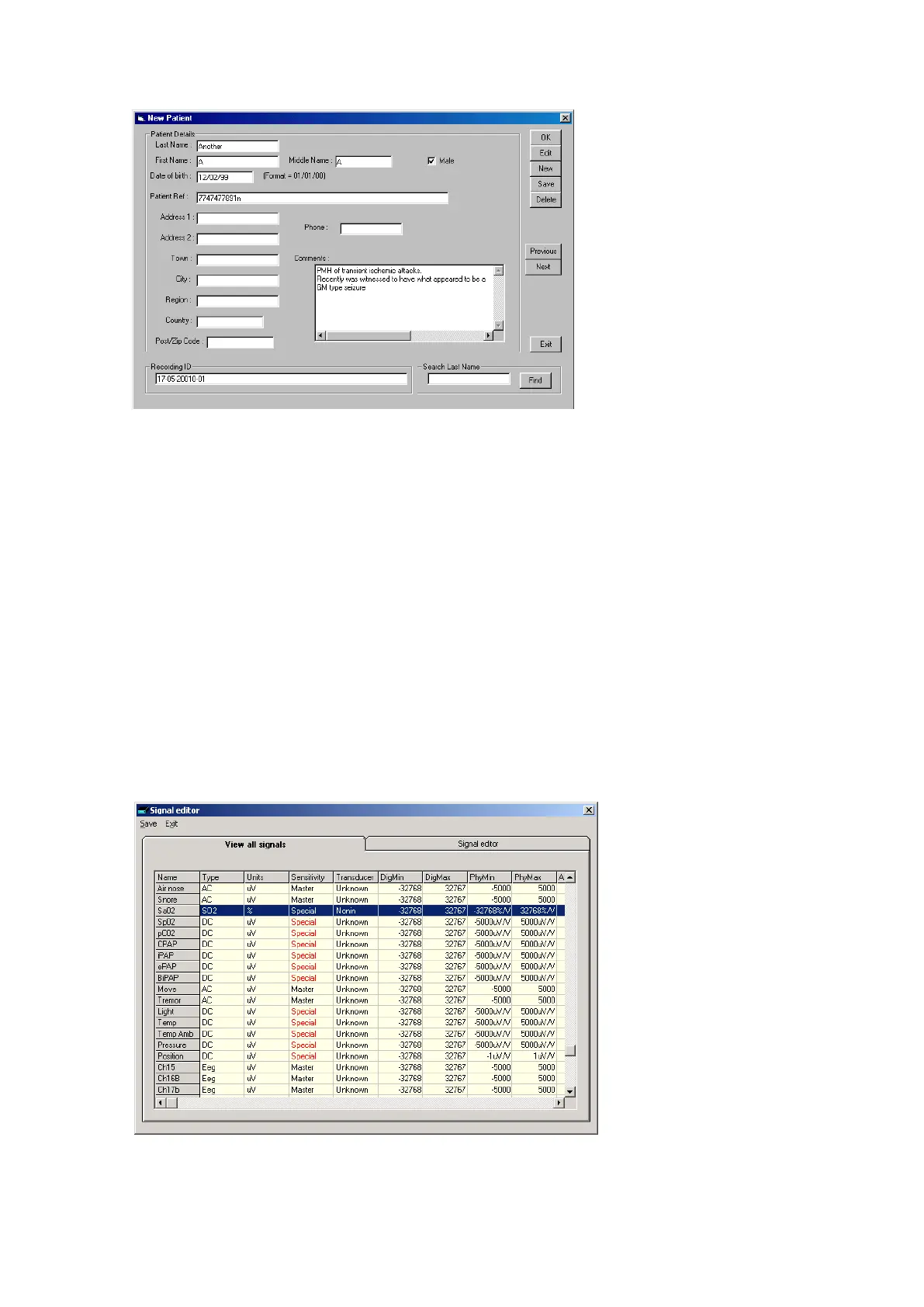
Figur e 6 N e w Pat ient dat a ba se
The database allows you to ent er m ore extensive inform at ion about t he pat ient and recording, and
save it for future reference. See the section ent itled ‘Advanced options’.
Step 2 Define the signals
Defining signals is usually done once only – before using Trackit Mk3 for t he first tim e. The Trackit
Mk3 recorder arrives with a default set of signals that should suffice for m ost applicat ions in am bu-
lat ory EEG, hence it m ay only necessary t o add signal types for polygraphic recordings (airflow,
respirat ion et c).
I f for any reason t he signals have not been creat ed, it is necessary t o define all t he signals ( labels)
that are to be used for m ontage creation in Step 3. The signal editor allows the creation of up t o 64
distinct signals ranging from the st andard 10/ 20 EEG signals such as FP1 O2, t o Respiration, Pulse
and ot her polygraphy input s.
St ep 3 explains how to calibrat e an AUX input.
To define a signal:
1 Click the View all signals tab in t he Signal edit or dialog box. See Figure 7.
Figur e 7 Signal list



 To Next Page