Trackit Mk3 User Manual
26
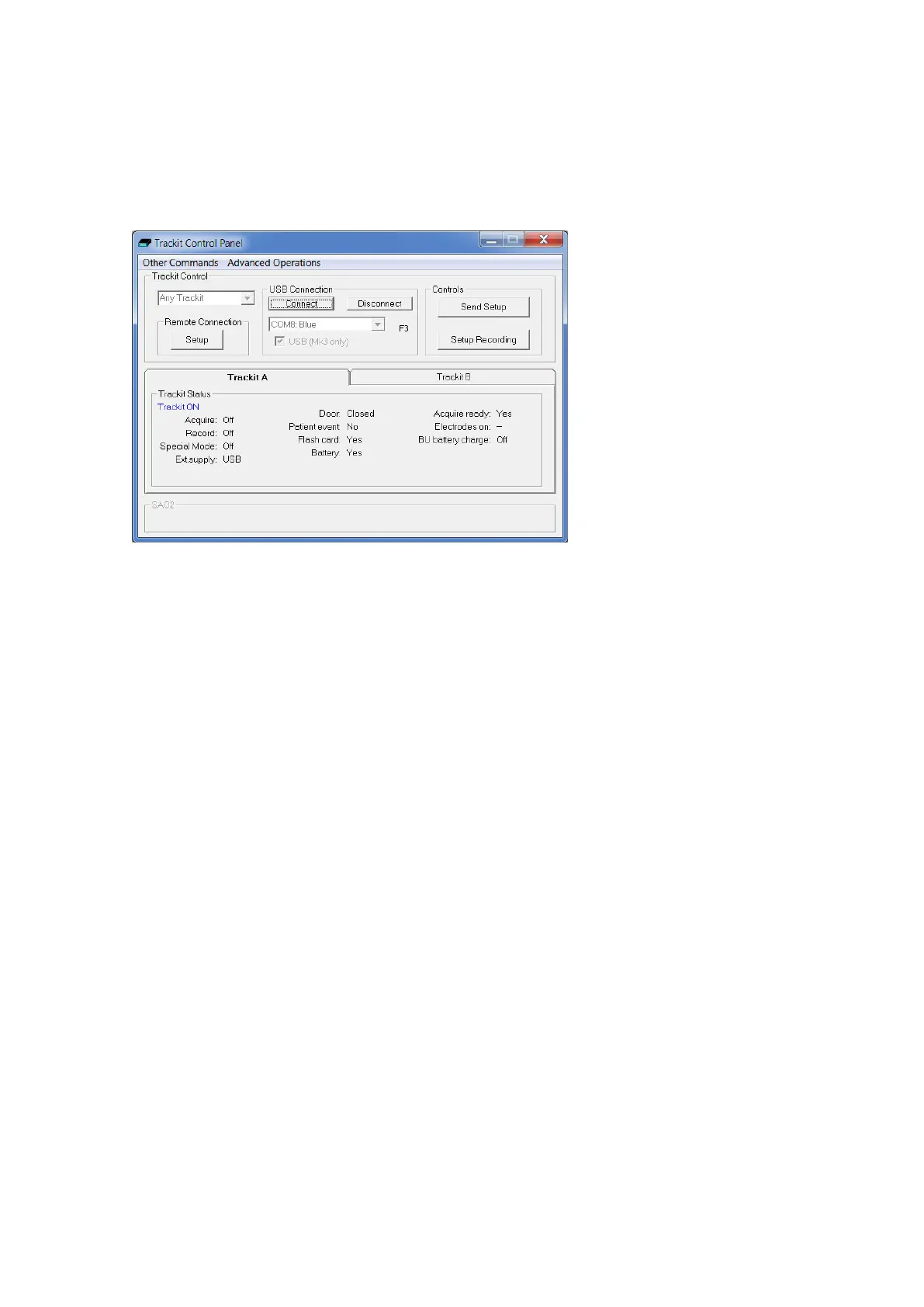
Clicking on the ‘handshake’ icon brings up t he Trackit Cont rol Panel dialog box ( Figure 15).
Step 6 Connect Trackit Mk3 for setup
Check t hat t he Trackit Mk3 recorder is swit ched on and that the cables are all connect ed properly.
I n the Trackit Cont rol Panel eit her select t he USB opt ion for the Mk3 Trackit or check t hat t he cor-
rect COM port is select ed and click on t he Connect button.
Figur e 1 5 Tra ck it Cont r ol Pan e l
After a couple of seconds Trackit St at us shows ‘Trackit Online’ and the software displays t he re-
cording param eters loaded into Trackit Mk3 in the status bar at t he bott om of t he screen.
Trackit Status also shows whether the bat t ery and PC card are present , whet her the door is open
or closed, whet her the elect rode connector is att ached, and the recording stat us of the device.
The ‘F’ or ‘F1’ next t o t he port select ion box indicates that t he fast connection speed, which is avail-
able with t he Trackit Mk2, is being used. This will be aut om at ically enabled as long as the PC serial
port hardware is capable of operat ing at 230 kBaud. ‘F2’ and ‘F3’ are displayed t o indicate the sub-
st antially fast er connect ion speeds available for t he Mk3 USB int erface.
St ep 7 Check Trackit status
Use t he Trackit Cont rol Panel t o check t hat the Trackit Mk3 recorder is correct ly online. The Trackit
St at us part of t he Cont rol Panel gives you the following inform ation:
Acquire – on or off
Shows whet her an online view of t he dat a on the host PC is taking place or
Record – on or off Shows whet her or not t he Trackit Mk3 is recording data t o flash card.
Shows w hether t he Trackit Mk3 is being powered by the m edical grade DC
power supply.
Shows if a bat tery is present or not.
St at us Shows how m uch bat t ery life is left.
Patient event Shows t hat the ext ernal patient event m arker is connect ed.
Shows w hether a CF card is present and its capacit y.
Door Shows whet her the door to t he CF card and bat tery is open or closed.
Elect rodes connected Shows t hat the Pat ient Connect ion Unit is connected t o t he recorder ( Mk1) .
Acquire ready
Shows t hat a valid recording set up has been loaded to t he Trackit Mk3 re-



 To Next Page