Trackit Mk3 User Manual
28
Periodic
Save to Disk
Nonin
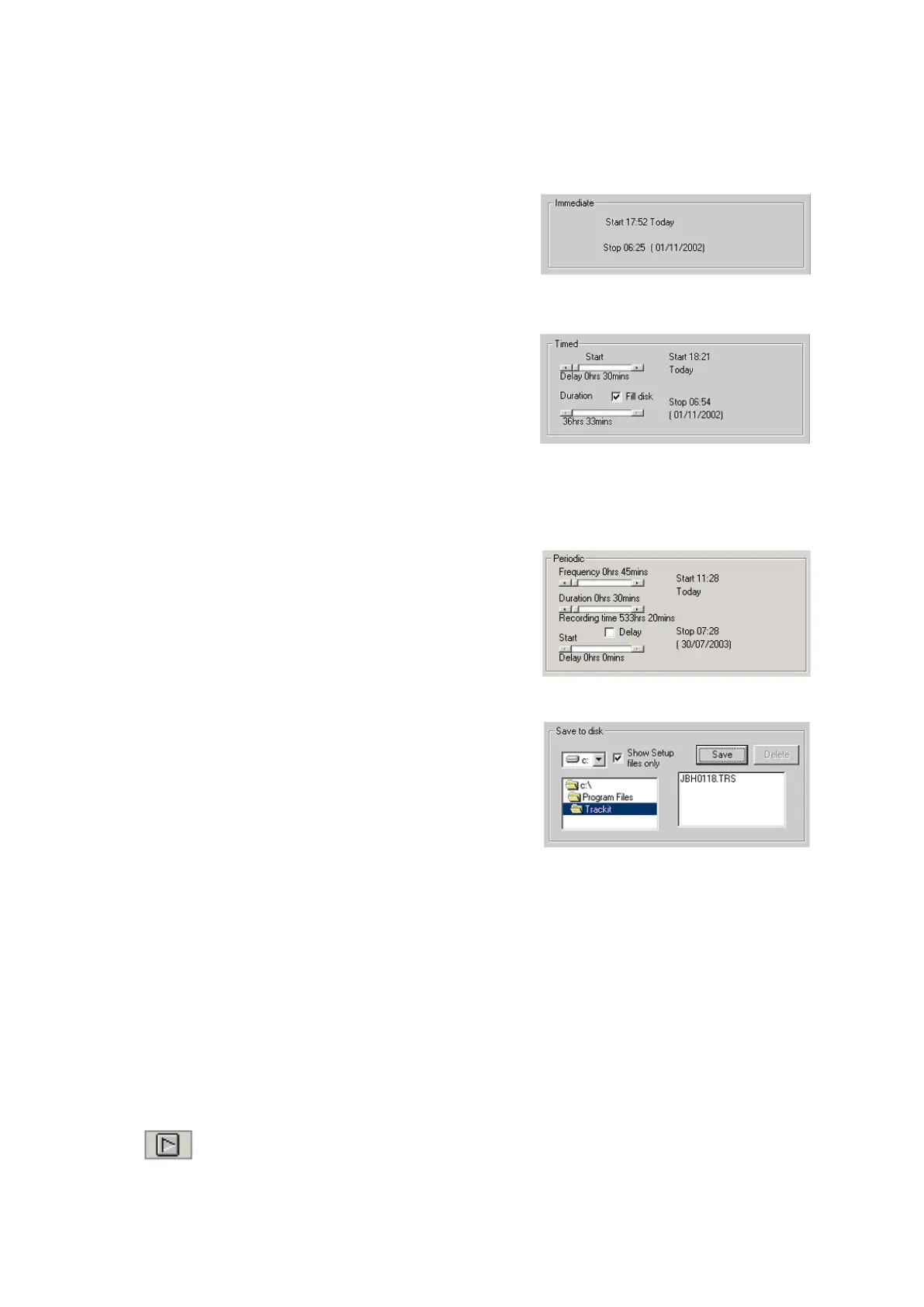
I m m ediat e : the recor ding st art s as soon as you click
Send Set up, then Start ( see Figure 17). Recording finishes
when t he Trackit Mk3 is t urned off.
1 Under Record Mode, choose I m m ediat e.
2 Click the Send Set up but t on, then t he Start but t on.
Tim e d: Trackit Mk3 records for a specified period of t im e.
1 Under Record Mode, choose Tim ed.
2 I n t he Recording Cont rol dialog box, set a st art tim e
for the recording using t he St art slider.
3 Eit her put a checkm ark by ‘Fill Disk’, or use the Dura-
tion slider to tell Trackit Mk3 how long t o record for.
4 Click the Send Set up but t on.
Per iodic: Trackit Mk3 records for specified periods of t im e at a defined int erval (eg for periods of
30 m inutes, wit h a 45- m inute int erval) :
1 Under Record Mode, choose Periodic.
2 Use t he frequency and durat ion sliders to define the
lengt h of t he recording period, and t he interval be-
tween periods.
3 For a delayed st art (eg in an MSLT st udy), put a
checkm ark by t he Delay box, and use t he St art slider
to set a st art tim e for the recording.
4 Click the Send Set up but t on, then t he Start but t on.
Sa ve to disk: a setup is creat ed, t hen saved on t he flash
car d for use in a lat er recording. This is part icularly useful
for hom e sleep recordings where the pat ient can switch on
the recorder (and so start the recording) j ust before going
to bed.
1 Creat e a set up in t he norm al way, with pat ient nam e and recording channels.
2 Place t he flash card in t he flash card reader in t he host PC.
3 Under Record Mode, choose Save to disk. The set up is saved on t he flash card as a * .t rs ( t rackit
recording set up) file. The nam e of the set up file is the pat ient ’s last nam e.
4 The Trackit Mk3 recorder st art s recording aut om atically, using t his setup file, when it is
switched on.
N on in: Recording st art s as soon as the Nonin SaO2 probe is connected and at t ached.
To init iat e an im m ediat e on line recording
1 Click on the Send Set up but ton. Wait for t he setup to upload to t he Trackit Mk3 recorder. This
should t ake a few seconds.
2
I n the Trackit t oolbar, click t he Ongoings On icon to view the traces.
3 Make sure what is seen is what should be recorded.



 To Next Page