Trackit Mk3 User Manual
70
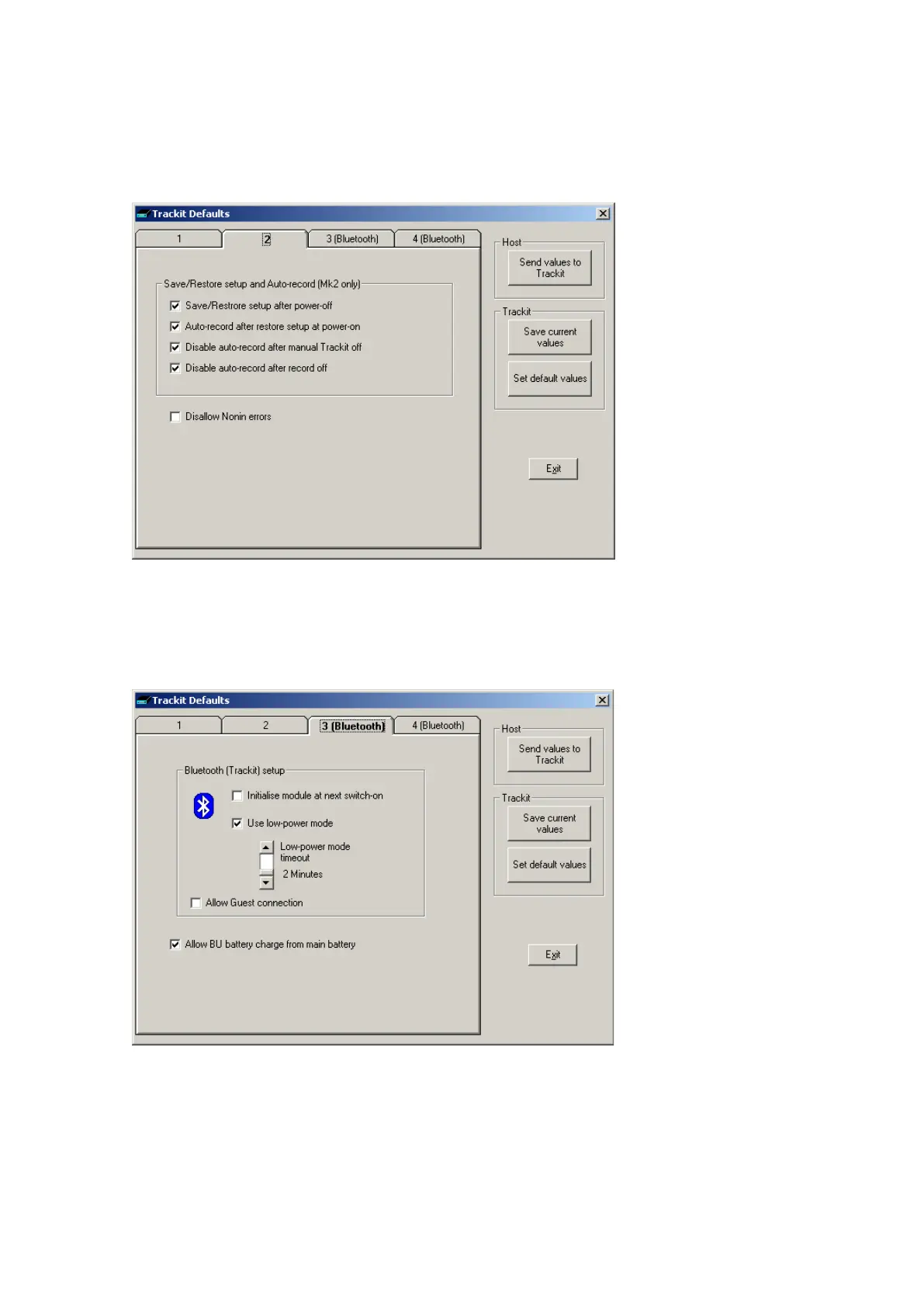
Trackit Default Options | Tab 2 (General)
These are addit ional options not specifically relat ed t o Bluet ooth. Please refer t o section 5.6 for
details.
Figur e 5 3 Tra ck it De f a ult s Ta b2
Trackit Default Options | Tab 3 (Bluetoot h Trackit)
Tab 3 cont ains t he first set of Bluetooth opt ions as shown in Figure 54 below.
Figur e 5 4 Tra ck it De f a ult s Ta b 3
Bluetooth (Trackit ) setup
• I nit ia lise m odule at ne x t sw it ch on. I f at any tim e t he Bluet oot h Module set up becom es cor-
rupt ed, t his option will instruct the Trackit to init ialise it wit h default set tings when it is next
switched on. The usual m ethod would be to use a direct connect ion for set ting t he option (if



 To Next Page