Lighthouse SOLAIR 3350, 5350 Gen E Operating Manual
7-4 248083387-1 Rev 10
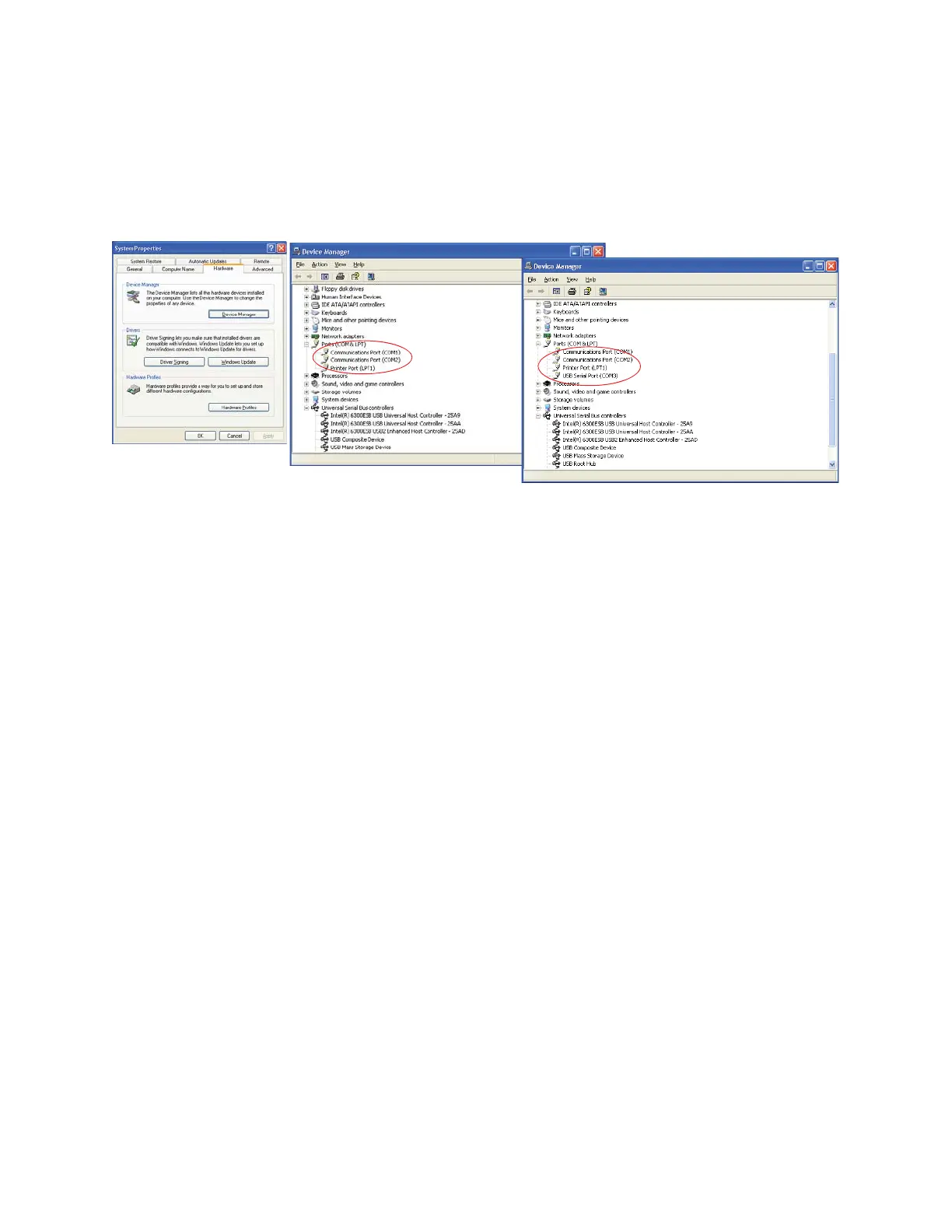
6. Identify the computer port that has been added to the PC by using
the “Properties” of My Computer and examining the COM ports.
USB ports are generally added to the bottom of the list and named
USB COM port ’x’. Refer to Figure 7-3 for screen examples
(Windows XP).
Figure 7-3 Example Device Manager Screens
7. Use LMS XChange or one of the LMS Express products to connect
to the instrument and retrieve data from it. Use the port assignment
determined above.
Configure
with the
MODBUS
Protocol
When the user powers up the instrument, the pump will automatically
turn on after 3 seconds, and it will begin sampling using the default
configuration:
• Location = 0
• Sample Time = 60 seconds
Note:
For the full
MODBUS v.1.45 register
map, please refer to
Appendix B.
• Hold Time = 0 seconds
• Initial Delay = 0 seconds
Note: The automatic
starting of the sampling
accommodates systems
that do not send a START
command, but just polls
the instrument for its data.
To stop the pump and the sampling, send the command 12 to command
register 40002.
After port is added
Before port is added
Device Manager
Screen










 To Next Page