Operate Counter
248083387-1 Rev 10 6-11
Viewing Two Columns of Data
The unit can display both Differential and Cumulative data at the same
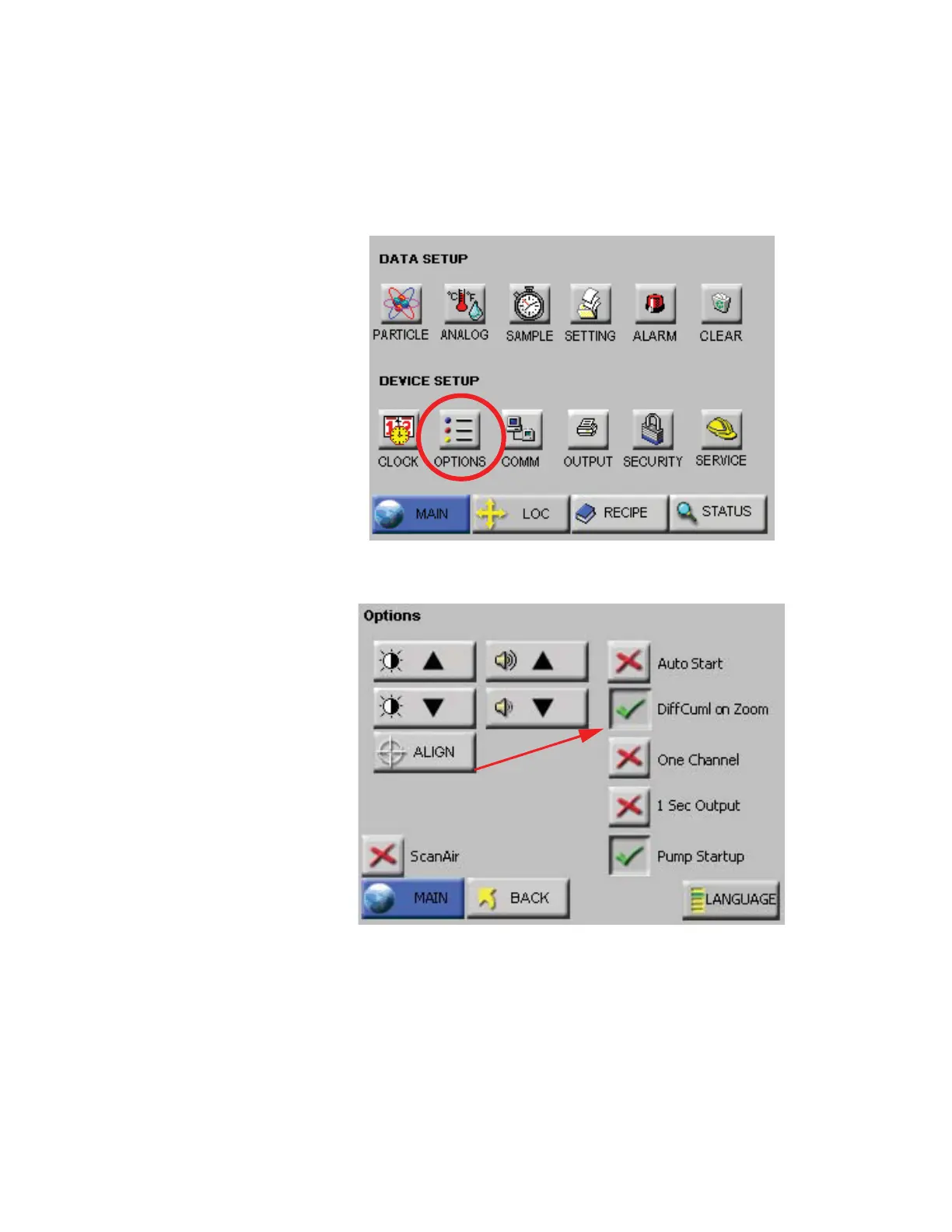
time on the Zoomed View screen. To enable this feature, go to the
CONFIG: Options screen. See Figure 6-9.
Figure 6-9 CONFIG: Options Button
Figure 6-10 DiffCuml on Zoom Button
Select the button “DiffCuml on Zoom” as shown in Figure 6-10. This
will display both differential and cumulative data on the Zoomed View
screen as shown in Figure 6-11.










 To Next Page